Your timesheet writes itself.
Every night DevLand looks at what you did that day: your Claude sessions, your commits and your file changes. It turns them into a clean list of jobs with hours, per project. No timer to start. No guessing on Friday what you did on Monday. Just open it and send the report.
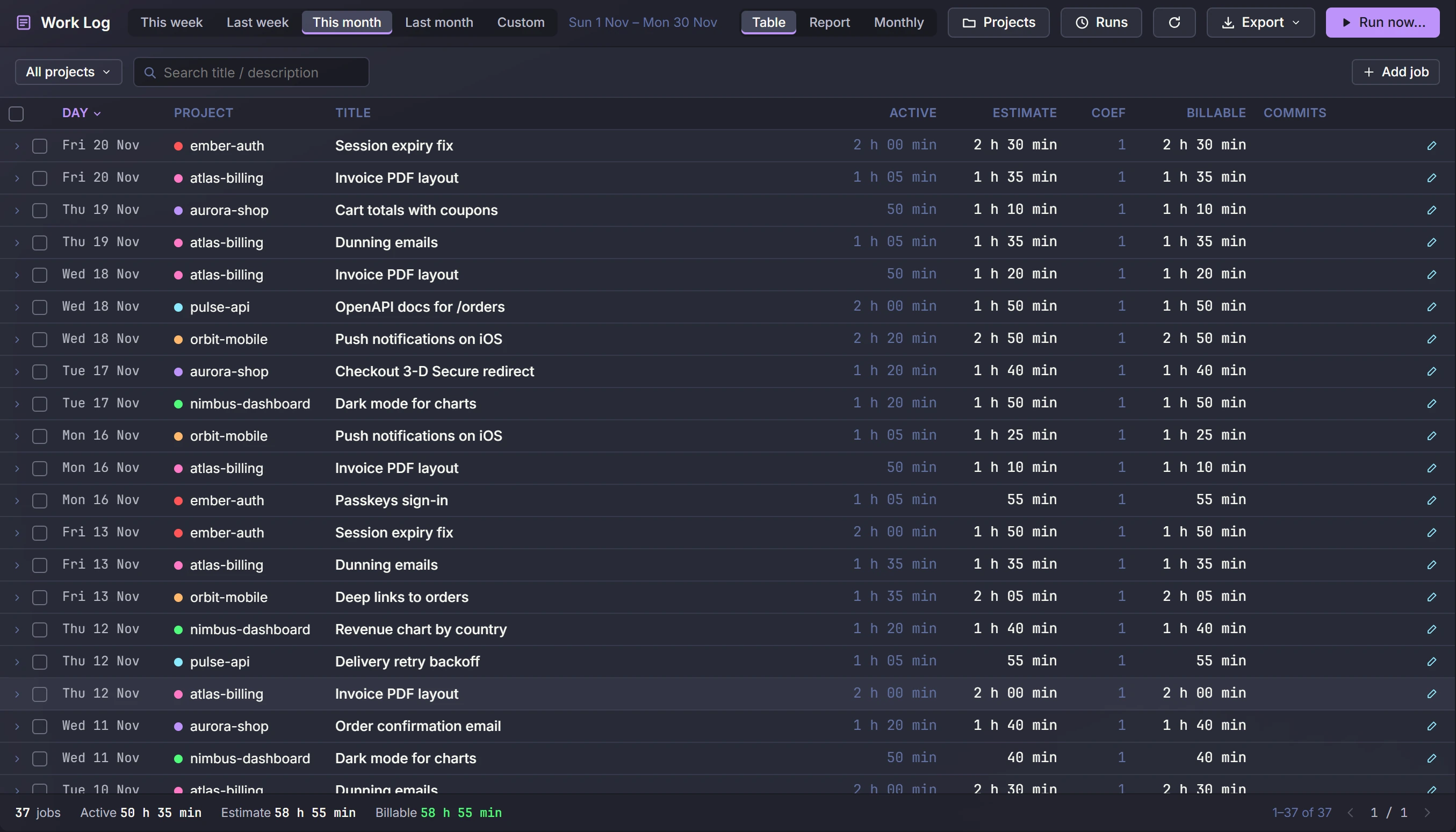
A month of work in the Work log, made from demo projects. Click to enlarge.
From a day of sessions to a list of jobs
- 1It collects the day
Claude chats, git commits on every branch, and file saves from Local History, for every project.
- 2It finds your work time
Your activity is split into blocks of work. A long pause ends a block, so lunch is not billed.
- 3Claude names the jobs
Each block becomes a job like
Invoice PDF layout, with a short description and its commits. - 4You check it
Edit a title, change hours, merge two jobs, add one by hand. Your edits are never overwritten.
- 5You send it
A report per project or per customer, ready to paste into an invoice or an email.
It runs at a time you pick, 03:30 by default. Was the PC off? It does the missed days the next time DevLand starts.
What you spent, and what it was worth
With Claude, an afternoon of work can take one hour. The Work log shows both numbers, and you decide what to bill.
Active
The time you really worked, measured from the times of your activity. Not a guess.
Estimate
How long the job would take a developer without Claude. You can change it.
Billable
The estimate times a factor, or a number you type. This is the number that goes on the invoice.
A monthly report for every customer
Tag projects with a company, add a client name and an hourly rate. At the start of each month, DevLand builds one report per customer: jobs, hours and the amount, per project.
- Ready-made views: this week, last week, this month, custom
- Export as CSV, Markdown or JSON
- Filter by project, tag or text
- Run it again for any past day. Jobs you edited stay as they are
- Ask Claude: "what did I do on aurora-shop last week?"
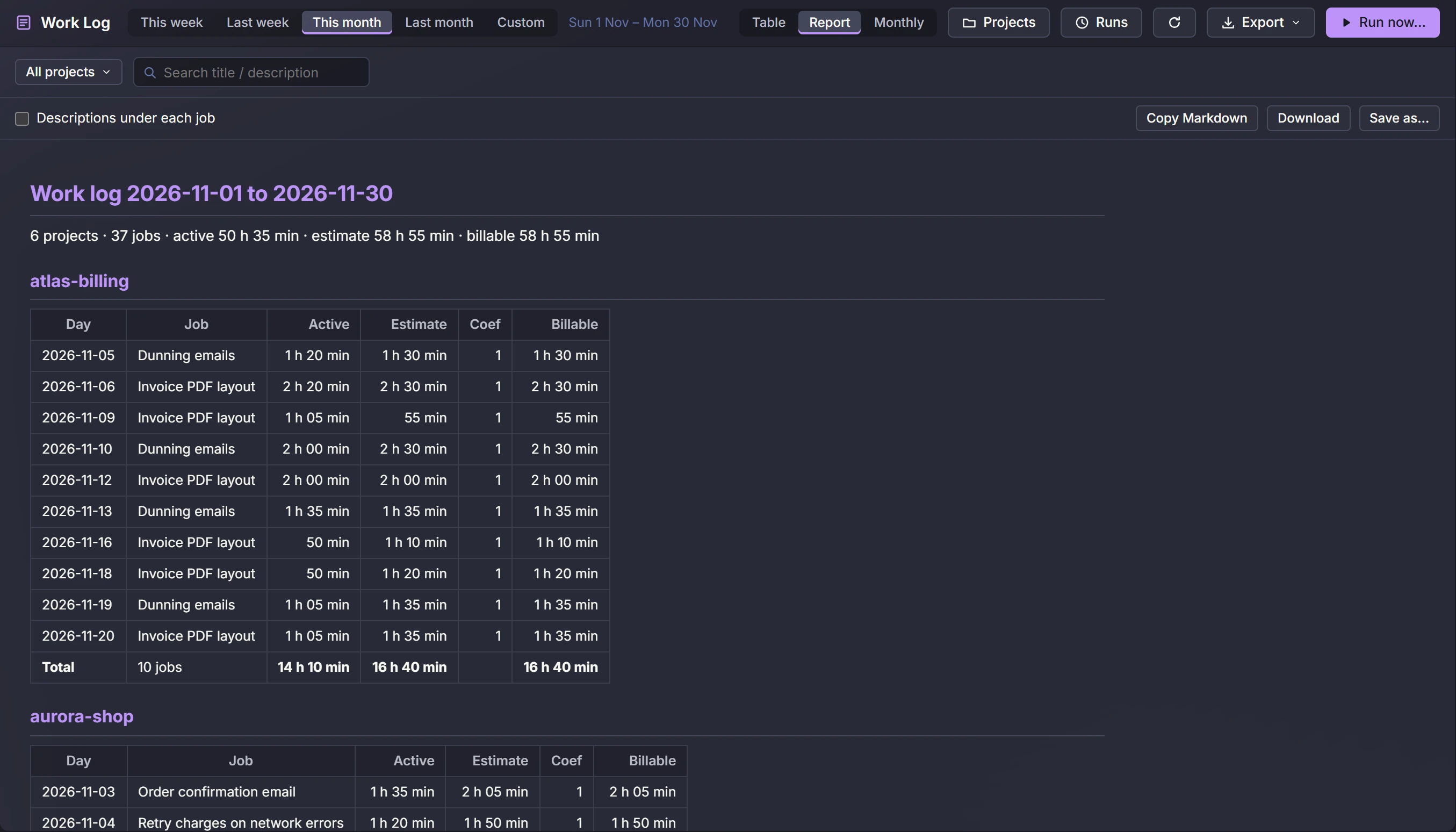
See what the team got done, without asking for timesheets
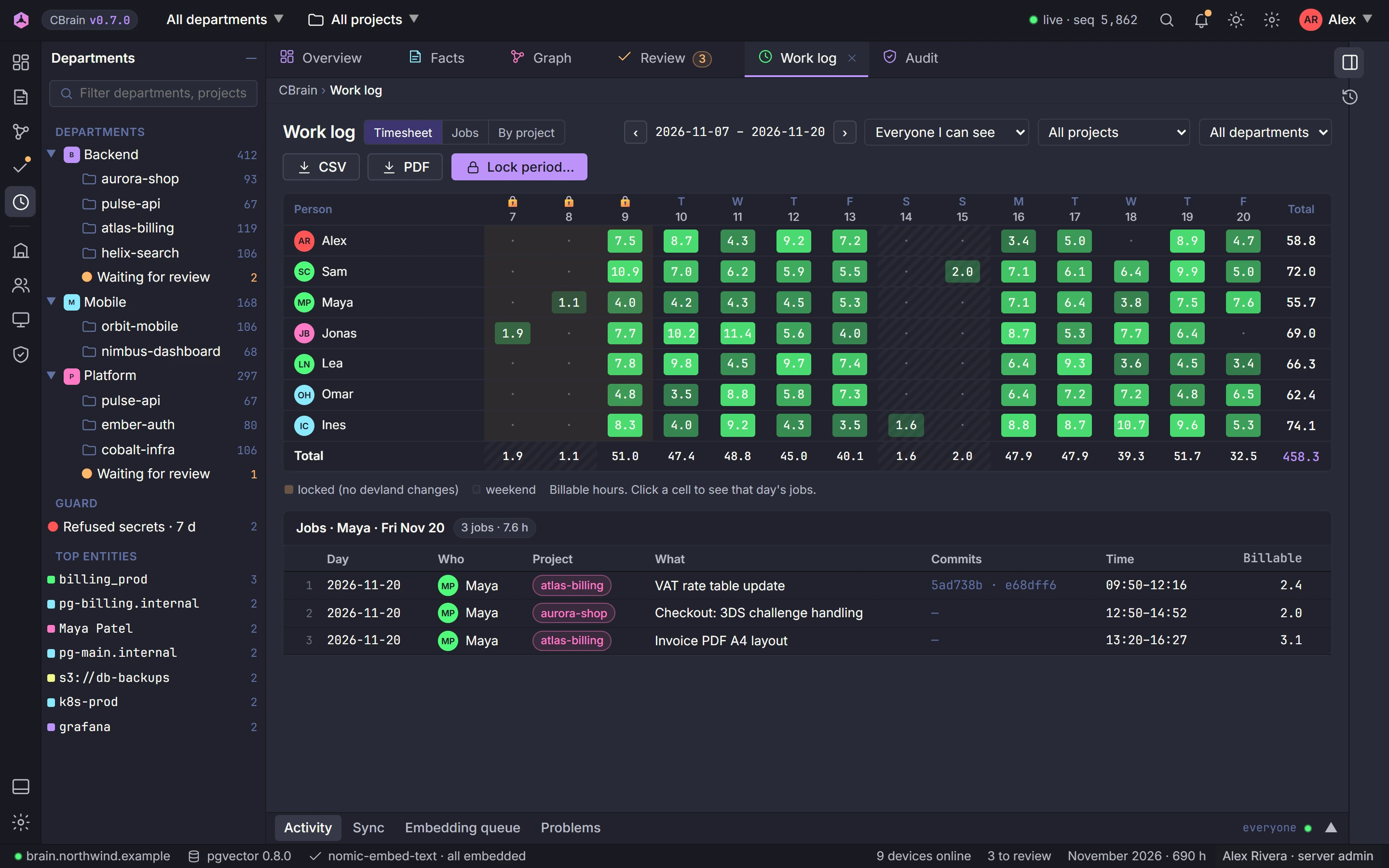
When a project is linked to CBrain, its work log is also sent to your team server. Managers get one view of the whole department: who worked on what, on which day, with which commits.
The right people see it
Everyone sees their own work. Reviewers see the members of their departments. Admins see everyone.
A timesheet per person
Hours per day for each person, and a click shows that day's jobs. Filter by person, project, department and period.
Correct and lock
An admin can fix a job, and lock a period once it is invoiced. After that, nobody can change those jobs from DevLand.
CSV and PDF
Export the team's hours for payroll, a customer or your own records.
Secrets hidden first
Job titles and descriptions go through the same secret check as shared facts. So no password or key ends up in a report.
Your choice per project
Only projects you link to CBrain are sent. Everything else stays on your machine.