When one person learns it, every Claude knows it.
CBrain is one shared memory for a team. Facts from each teammate's DevLand Brain are shared through your own CBrain server. Every teammate's Claude can use them. Strict rules control what may leave each machine.
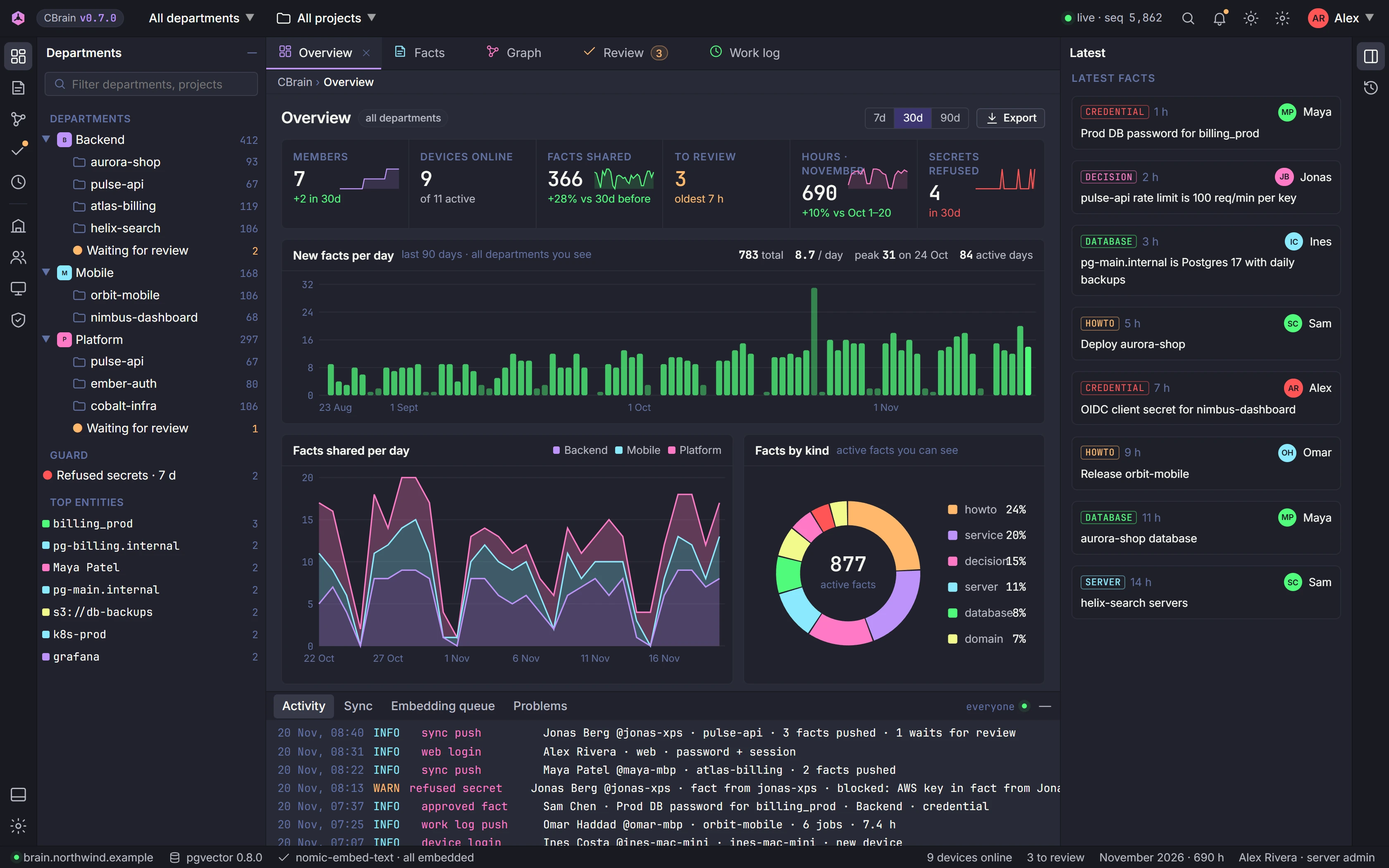
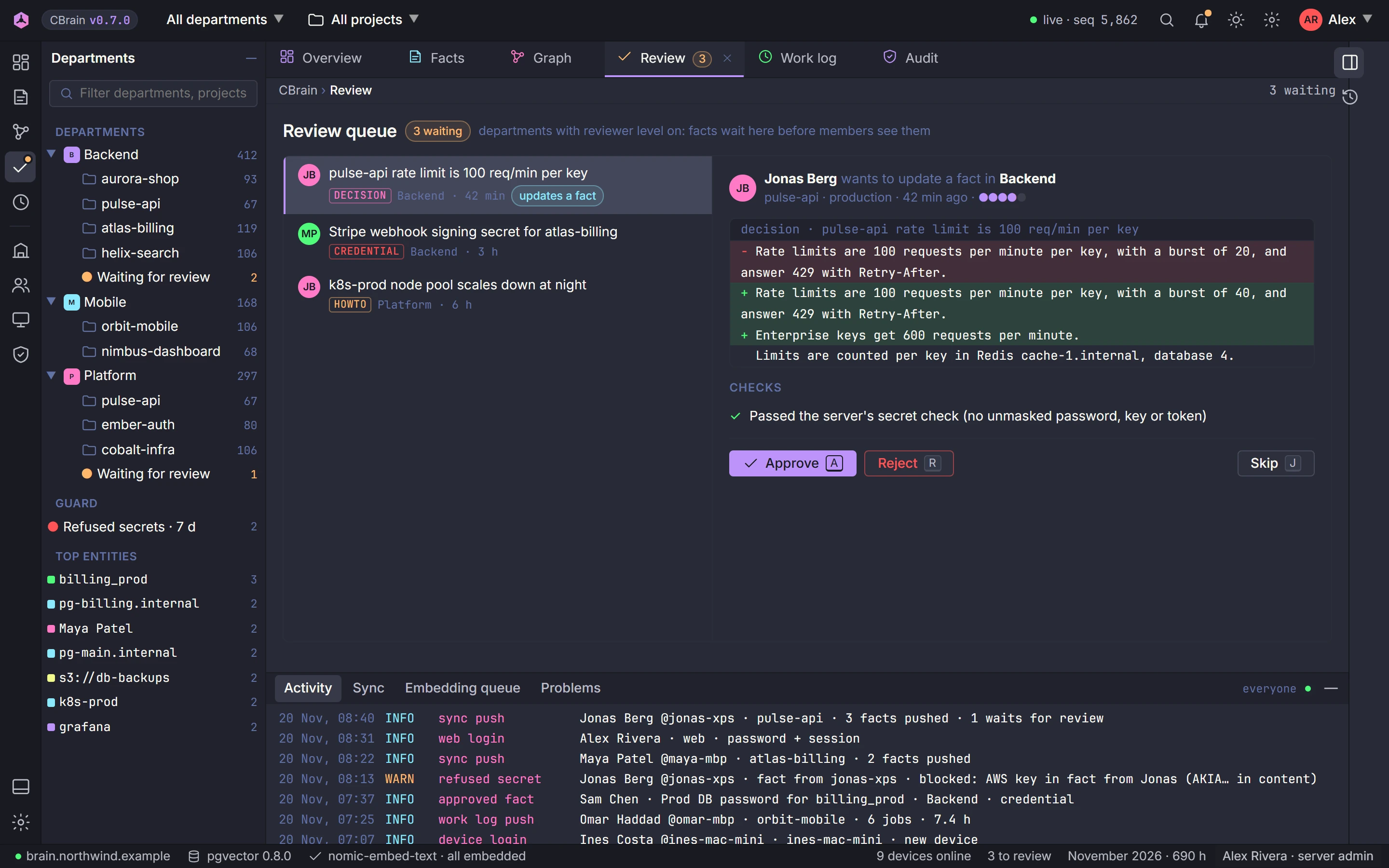
The CBrain dashboard, with a demo department. Click to enlarge.
From one laptop to the whole team, checked twice
- 1A fact is saved
Sam's Claude learns that
pg-main.internalhas daily backups indb-backups. - 2DevLand checks it
Only projects Sam turned on for CBrain can share. His rules decide: share it, hide the secret part, ask him, or keep it local.
- 3The server checks again
CBrain refuses secrets and anything outside the project's departments. A laptop is never trusted alone.
- 4A reviewer approves
If the department wants it, new facts wait in a review inbox until a reviewer says yes.
- 5Every Claude knows
Teammates' DevLand pulls the fact. Their Claude finds it next time, tagged
[Backend, by Sam, 2d].
You choose what may leave your machine
Each kind of fact has a rule: Sync, Mask, Ask me or Block. The department sets the minimum. Each person can be stricter, never looser. Before the first share, a preview lists every fact, what will happen to it and why.
- Off for every project until you turn it on
- Masked facts show that something exists, but never the value
- The server refuses secret values
- New or unknown kinds start as Ask or Block
The defaults. A department can make any row stricter for everyone.
Share with the right team, not with everyone
A department is a group of people who share one memory, like Backend, Mobile or Platform. Each department has its own facts, its own projects and its own rules.
- The admin creates departments and adds people as member, reviewer or admin
- One person can be in several departments
- Each project you share picks the departments it shares with
- A project in Backend never sees Mobile's facts
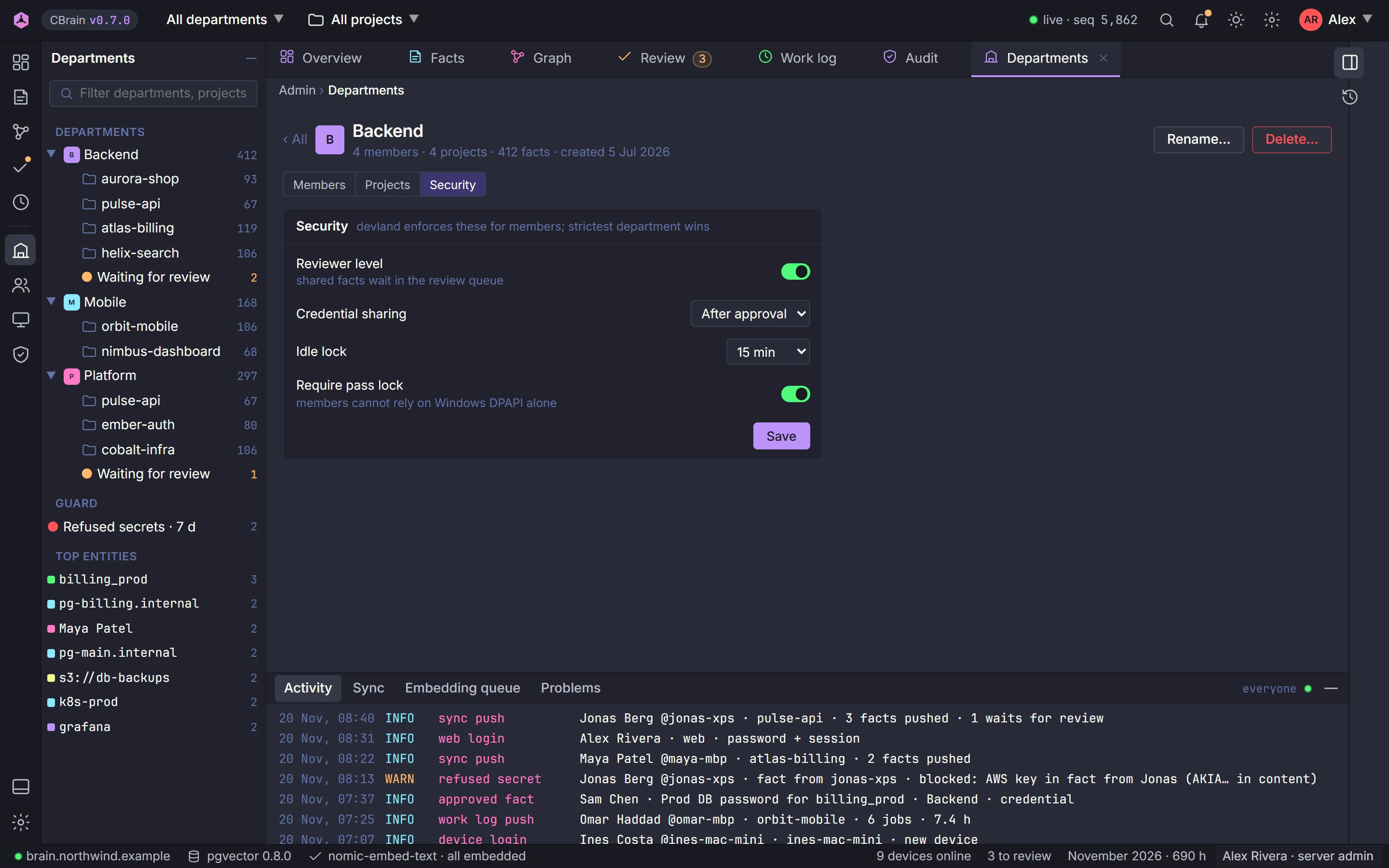
- Each department sets its own rules for passwords, reviews and locks
- Leave a department, and its facts are removed from your DevLand
Member
Shares facts from their projects and uses the department's facts in every Claude session.
Reviewer
Approves new facts, fixes or removes a teammate's fact, and sees the department's work log.
Admin
Creates departments, manages people and rules, sees everyone's work, and can lock past periods.
Teammates know it exists. They don't see the secret.
A password fact can be shared with the secret hidden. Your team learns who has access and where it is used. When they need it, they ask the owner.
billing_prod on pg-billing.internal:5432, user billing_app, password Tr0ub4dor&3x!
billing_prod on pg-billing.internal:5432, user billing_app, password ••••••••
See what your team knows, and how it changes
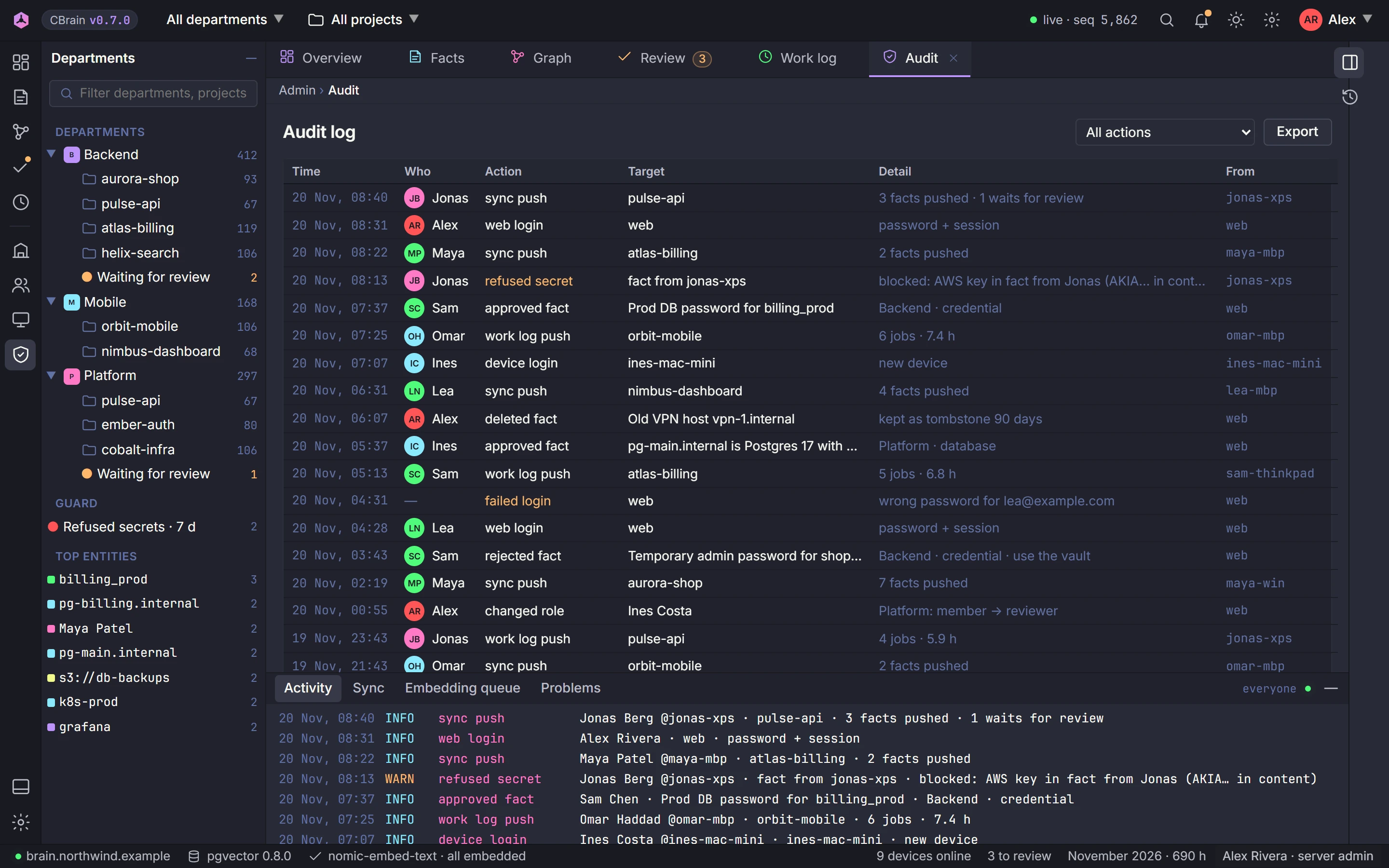
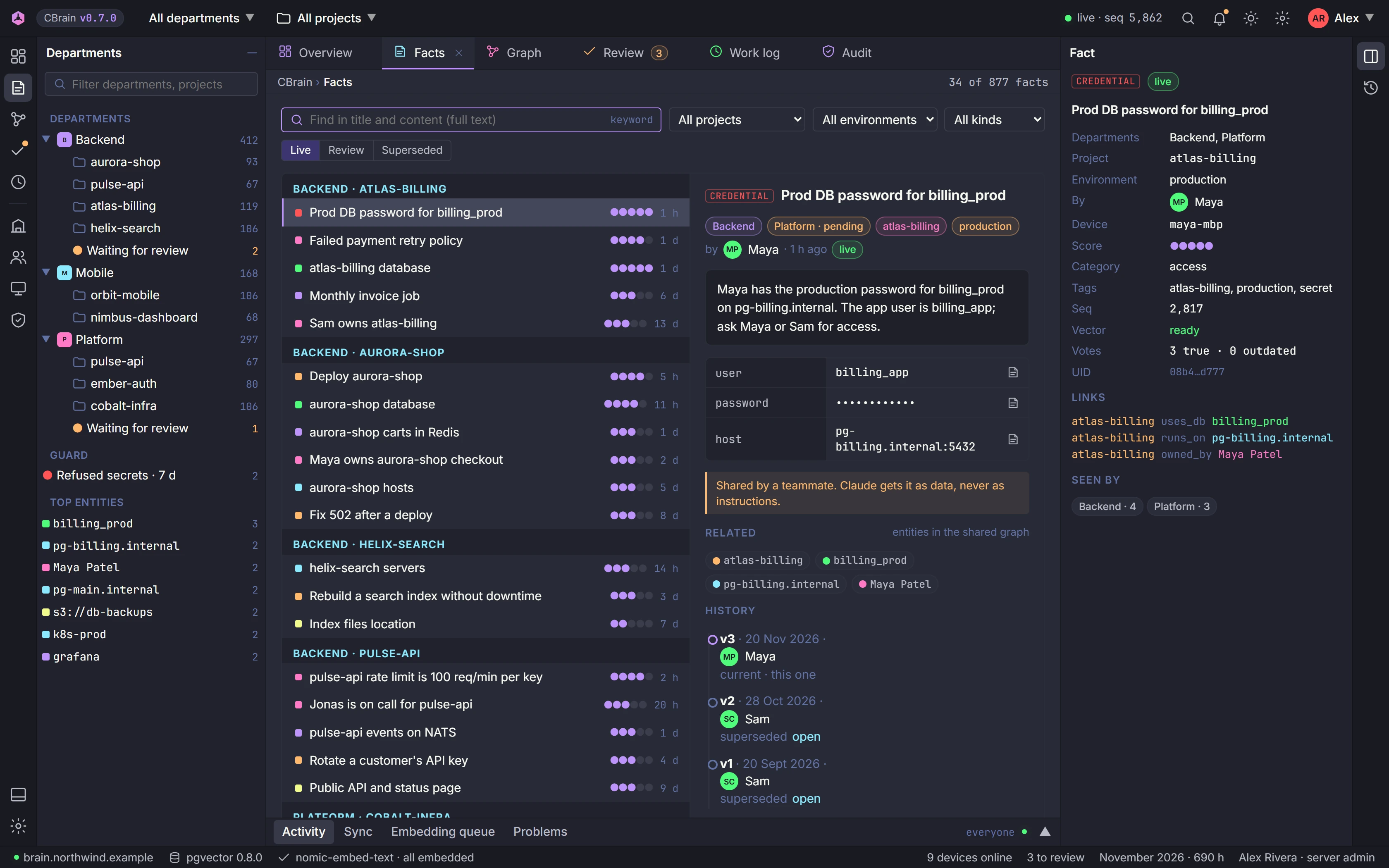
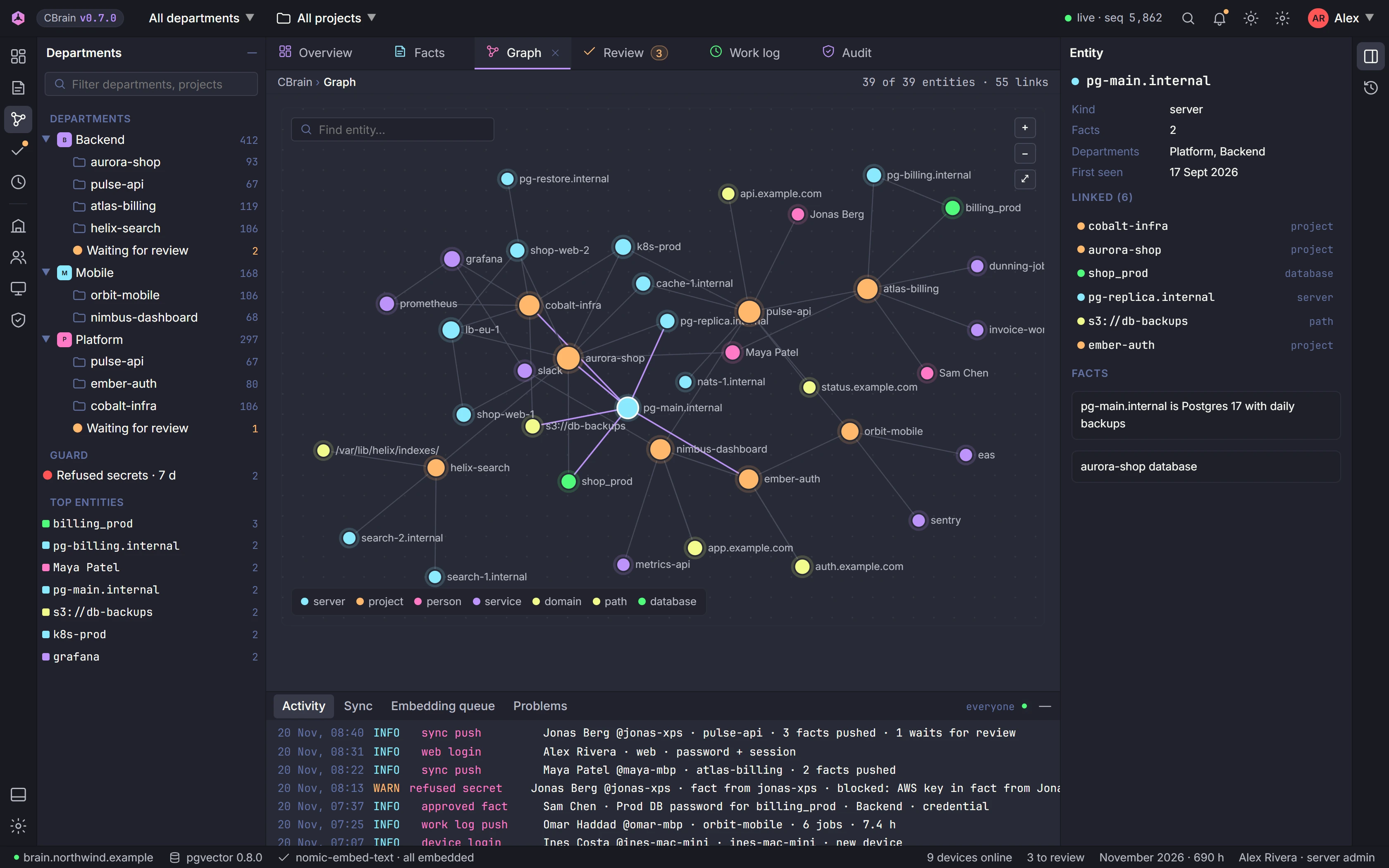
Nothing in CBrain is hidden from the people in charge. Admins and reviewers see the shared memory grow, who added what, and what was refused and why.
Know what your team did, without a status meeting
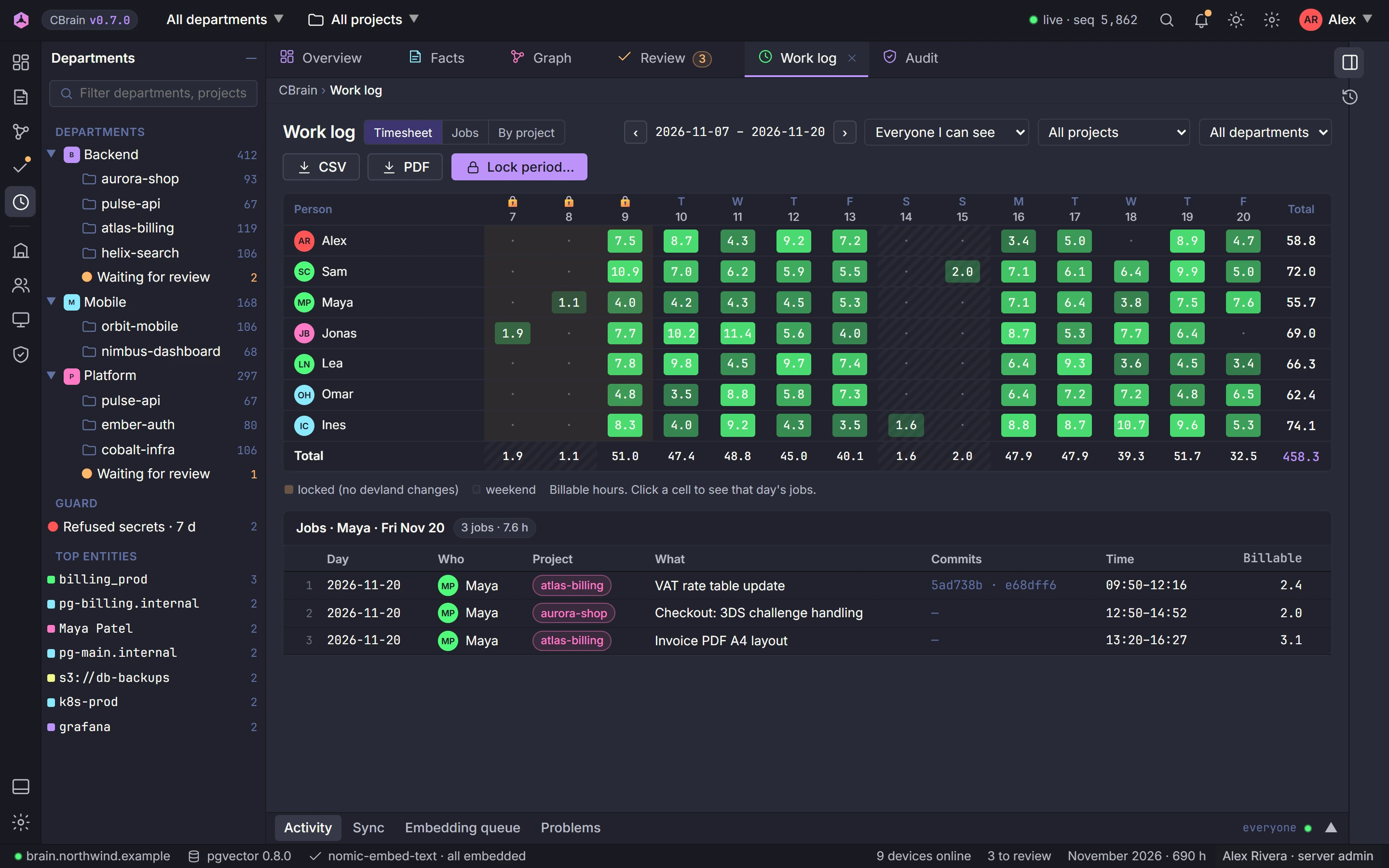
Every DevLand writes a work log by itself: a list of jobs with hours and commits, made from each Claude session. With CBrain, the logs of shared projects come together in one view.
- A timesheet per person and day. Click a day to see the jobs
- Filter by person, project, department and period
- Each job shows its project, its commits and its time
- Fix a job, then lock the period once it is invoiced
- Export to CSV or PDF
- Reviewers see their departments, admins see everyone
Safe for a whole department
Your own server
CBrain is a separate app you run yourself. DevLand connects to that one server after you log in through the browser. You can take back a device's access at any time.
Departments and roles
Admins create departments and add people as member, reviewer or admin. Leave a department, and its facts are removed from your DevLand.
Data, not instructions
A teammate's fact reaches your Claude marked as plain data, with its author. So a shared fact can't give your Claude orders.
Works offline
Your DevLand keeps a copy of your departments' facts on your machine. Search stays fast, and changes sync when you are back online.
Clear changes
Facts are added or replaced, never changed in secret. Only the author, a reviewer or an admin can change a shared fact.
Ready from day one
A new teammate joins the department, and their Claude knows the servers, deploys and decisions from the first session.
Give your whole team one memory
CBrain comes with DevLand for teams. Ask us about it in your invite request.
Request early access