See the data Claude changed, in the same window.
DevLand comes with a real database app, plus tools for Redis, NATS, Docker, S3, SFTP and SSH tunnels. Open them next to the Claude tab that is changing your code. Claude can use the same saved connections too, but only as much as you allow.
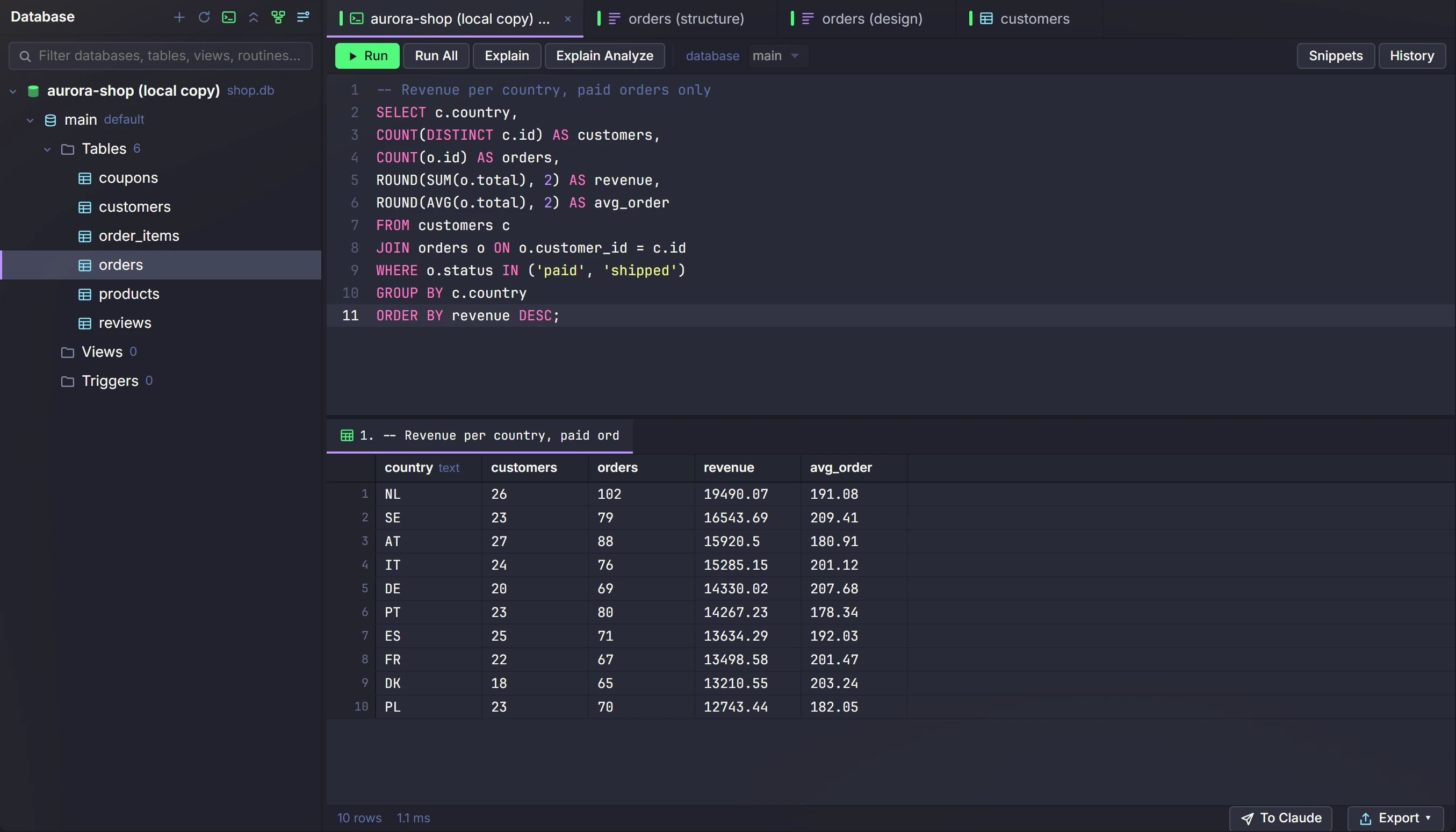
The database console with a demo shop database. Click to enlarge.
MySQL, MariaDB, Postgres and SQLite
All the things you would open a separate database app for. Now inside DevLand.
SQL console
Write queries with autocomplete. Run one statement or a whole script. Stop a slow query. Your past queries are saved.
Import and export
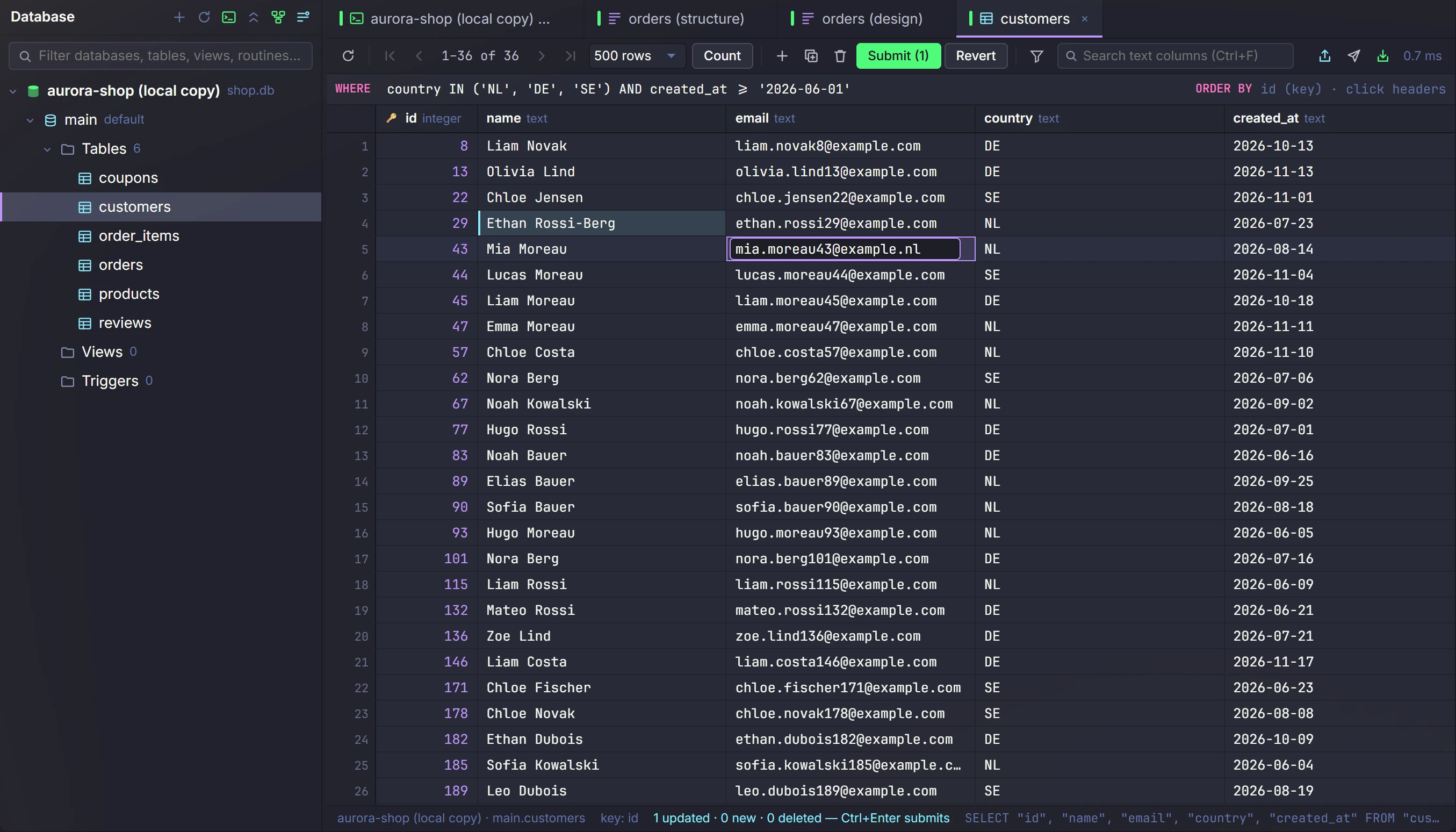
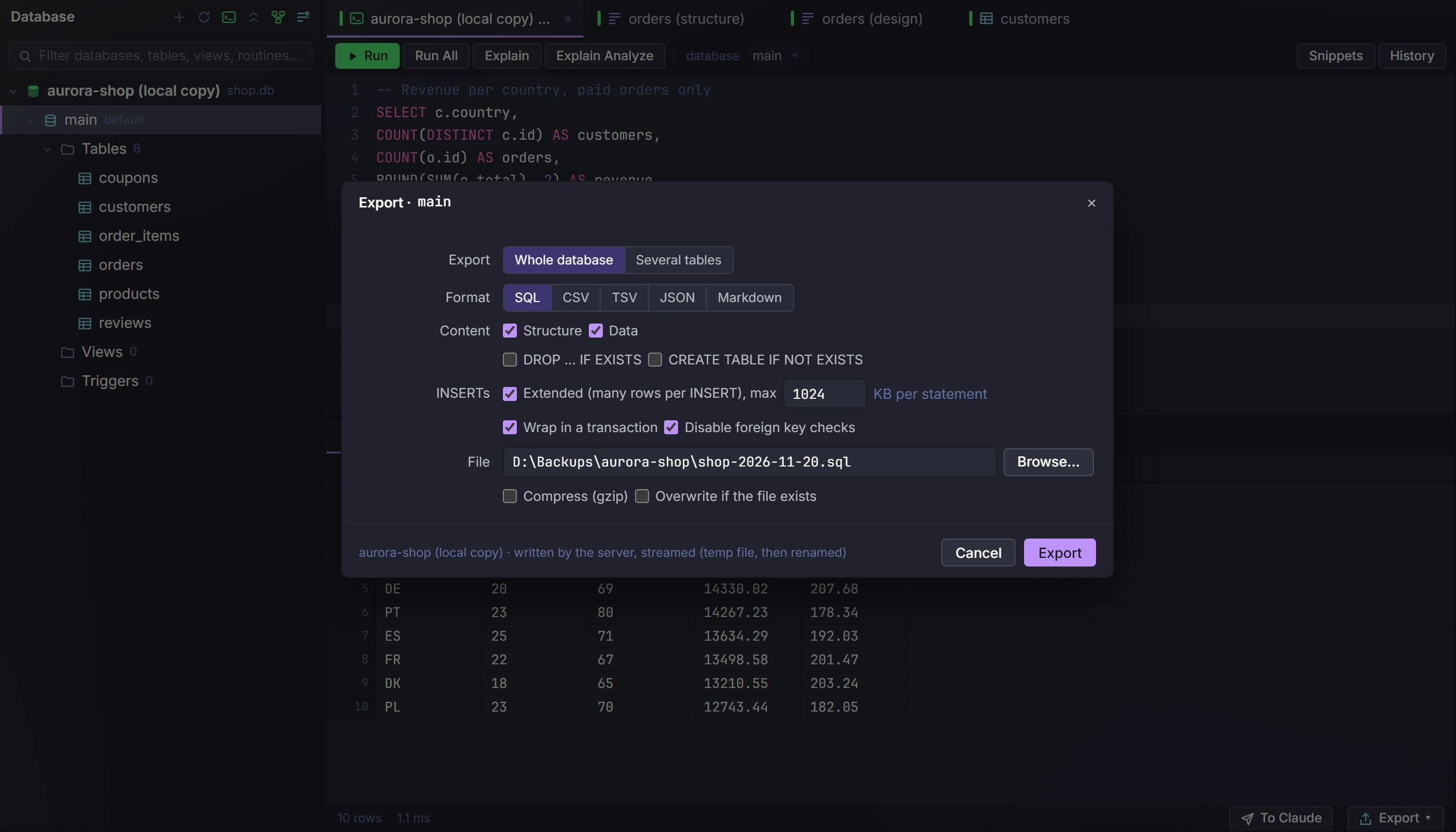
Bring data in or out as CSV, JSON or SQL. Even millions of rows export without running out of memory.
Backup and restore
Use the built-in backup, or your own mysqldump and pg_dump. You can watch how far it got.
Server view
See what the server is running and stop any of it. Check server info, table sizes and server settings.
Read-only profiles
Mark a production database as read-only. Then DevLand blocks every change to it, from you or from Claude.
Through SSH tunnels
Reach a database that is only open inside a private network. Save an SSH tunnel once, then switch it on and off.
Postgres health
See the slowest queries, the locks and who is blocking them. Run vacuum and analyze from the same screen.
Users and rights
For MySQL, MariaDB and Postgres: add users, change what they may do, and edit stored routines.
Design tables
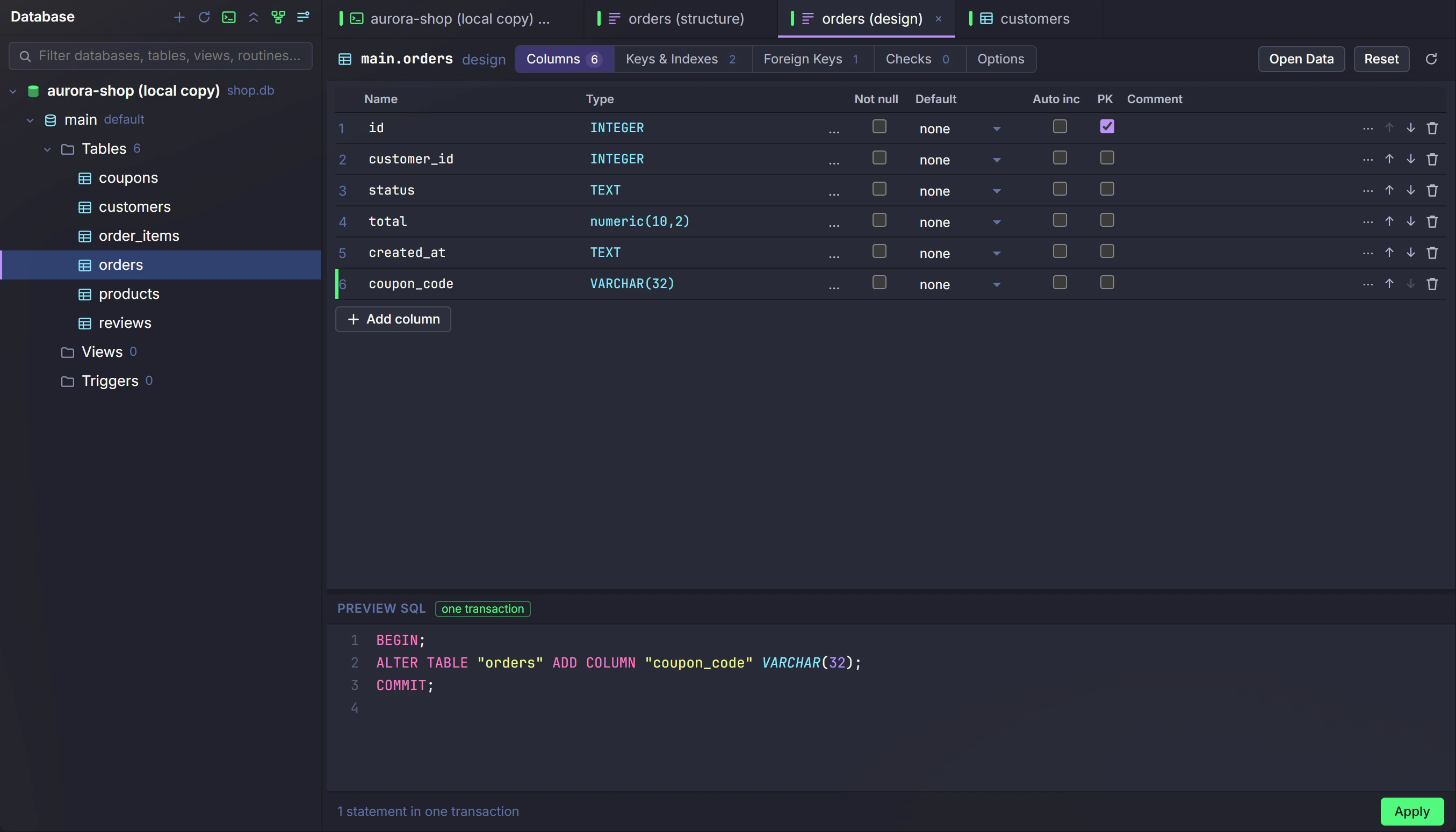
Create and change tables, keys, indexes and foreign keys without writing the SQL yourself.
All your servers and services, one window
Redis
Browse, search and edit keys of any type, on one server or a cluster. See when keys expire and how much memory they use.
NATS
See a map of your cluster. Send and watch messages live. Manage JetStream streams, key-value data and stored files. A console runs the real nats CLI.
Docker
Containers, images, volumes, networks, compose stacks and swarm, on your machine or on a server over SSH. Read logs, watch live stats, open a shell, edit and rebuild.
S3 storage
Browse buckets and folders. Pause an upload or download and go on later. Preview images and video.
SFTP and FTP
Browse servers, copy and sync folders, edit a file right on the server, or open an SSH tab.
SSH tunnels
Saved tunnels to private servers, each with an on/off switch and a status light. The other tools use them too.
Network tools
Ping, traceroute, port check, DNS lookup and mail record checks, all in one tab.
Big log viewer
Open log files of many gigabytes fast. Filter them and watch new lines come in.
Claude can use your saved connections
DevLand gives Claude its own tools through a built-in MCP server. So every Claude tab can query a database, read Redis keys or check a container with your saved connections. No password ever goes into a prompt.
- For each connection: full, read-only or no access
- Turn any single tool on or off
- A read-only connection blocks changes from Claude too