Review what Claude wrote. Ship it in the same window.
When a Claude tab is done, you check its work. DevLand puts a full git client, a code editor and a history of every change Claude made right next to the session.
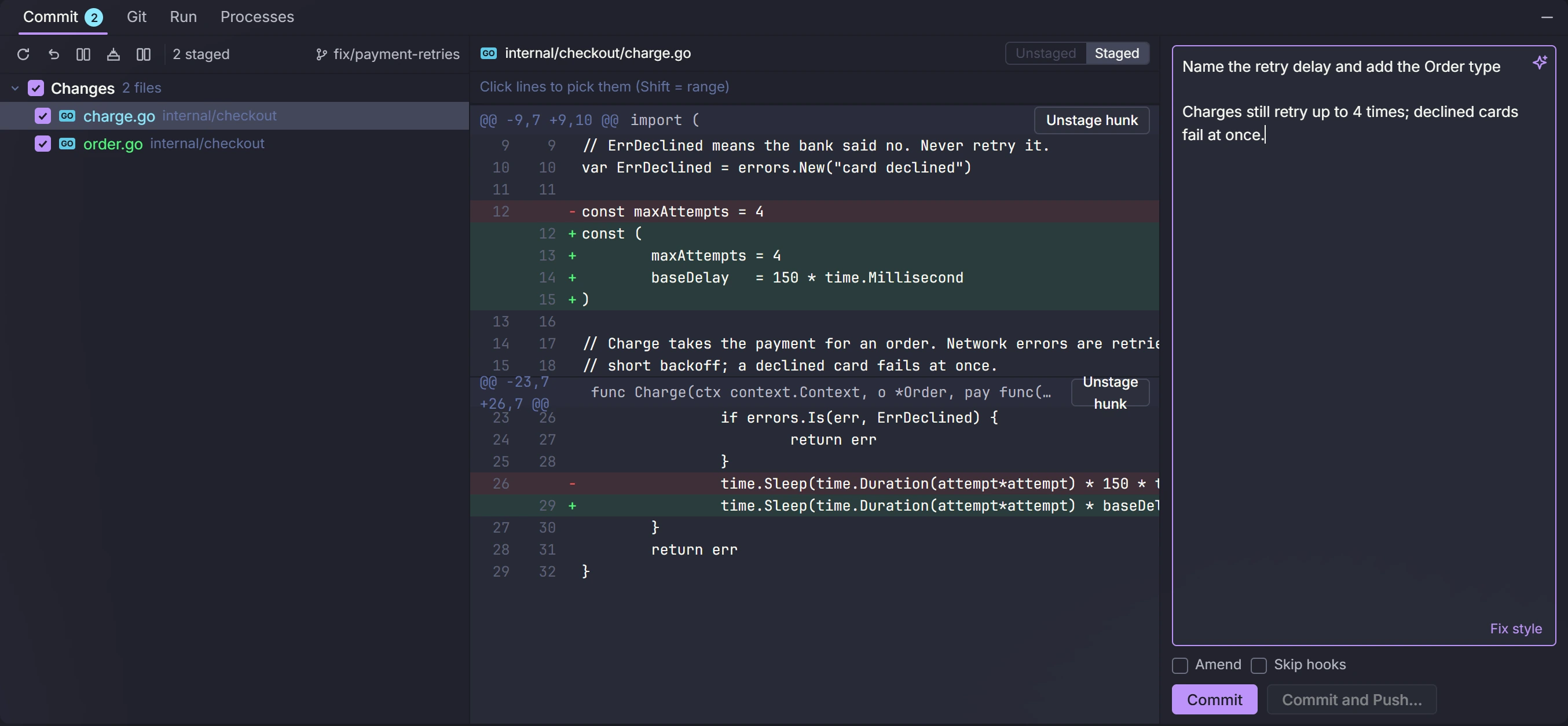
The commit window. Pick the lines or blocks of changes to commit. Write the message yourself, or let AI write it.
Everything git, without the terminal
- Stage a whole file, a block of changes or one line
- Branches, merge, rebase, stash, tags, and cherry-pick
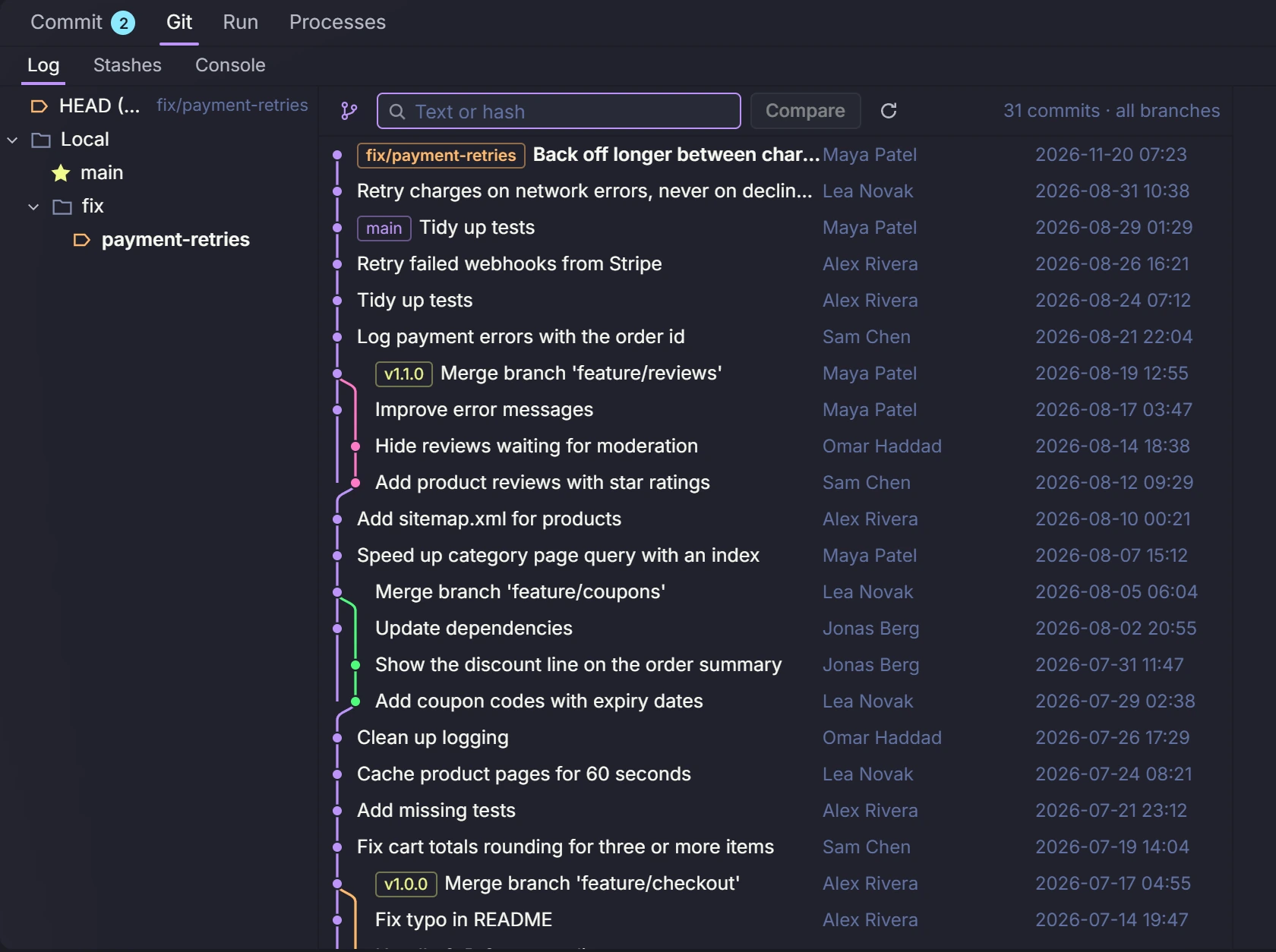
- Clean up commits by drag and drop: reorder, join, rename or drop them
- A history graph you can search and compare, and who changed each line
- Fix merge conflicts with your side, their side and the result next to each other
- Worktrees, so each Claude tab can work in its own copy
- Git follow: each project fetches and pulls by itself when it is safe, with a badge for new commits
- Asks before you commit on main, and adds the ticket number from the branch name
You never lose a Claude edit, and no secret leaks
AI commit messages
AI reads your staged changes and writes the message in the same style as your past commits. Or write your own and let AI clean it up.
Local History
DevLand saves a copy of a file on every save and every Claude edit. Each file gets a timeline, and one click brings an old version back. Even changes you never committed.
Secret guard
Before you commit or push, DevLand checks the new lines for keys and passwords. That includes the ones saved in your Brain.
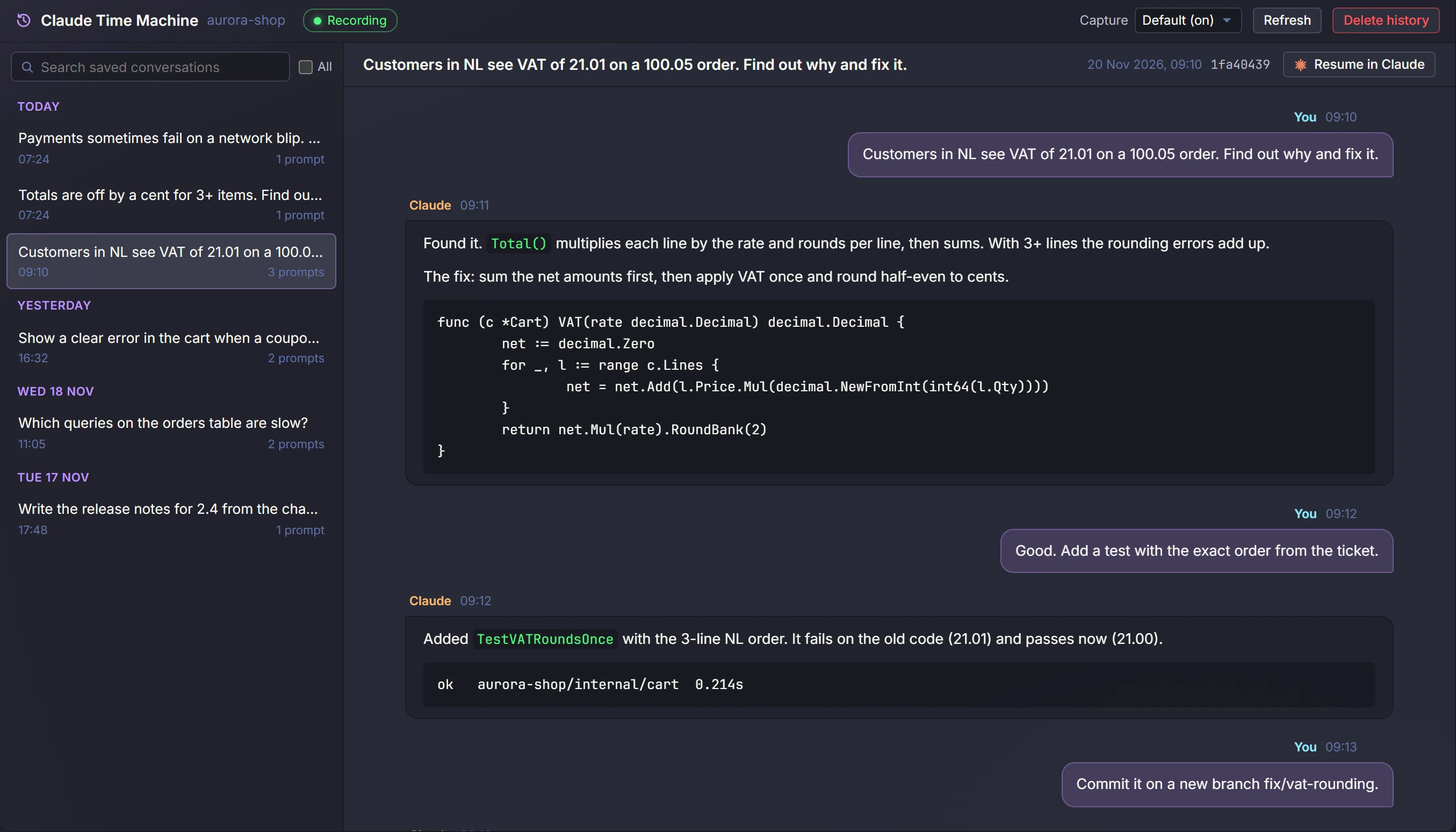
Claude's before and after
See what each Claude edit changed, file by file. Send a change back to Claude with a note.
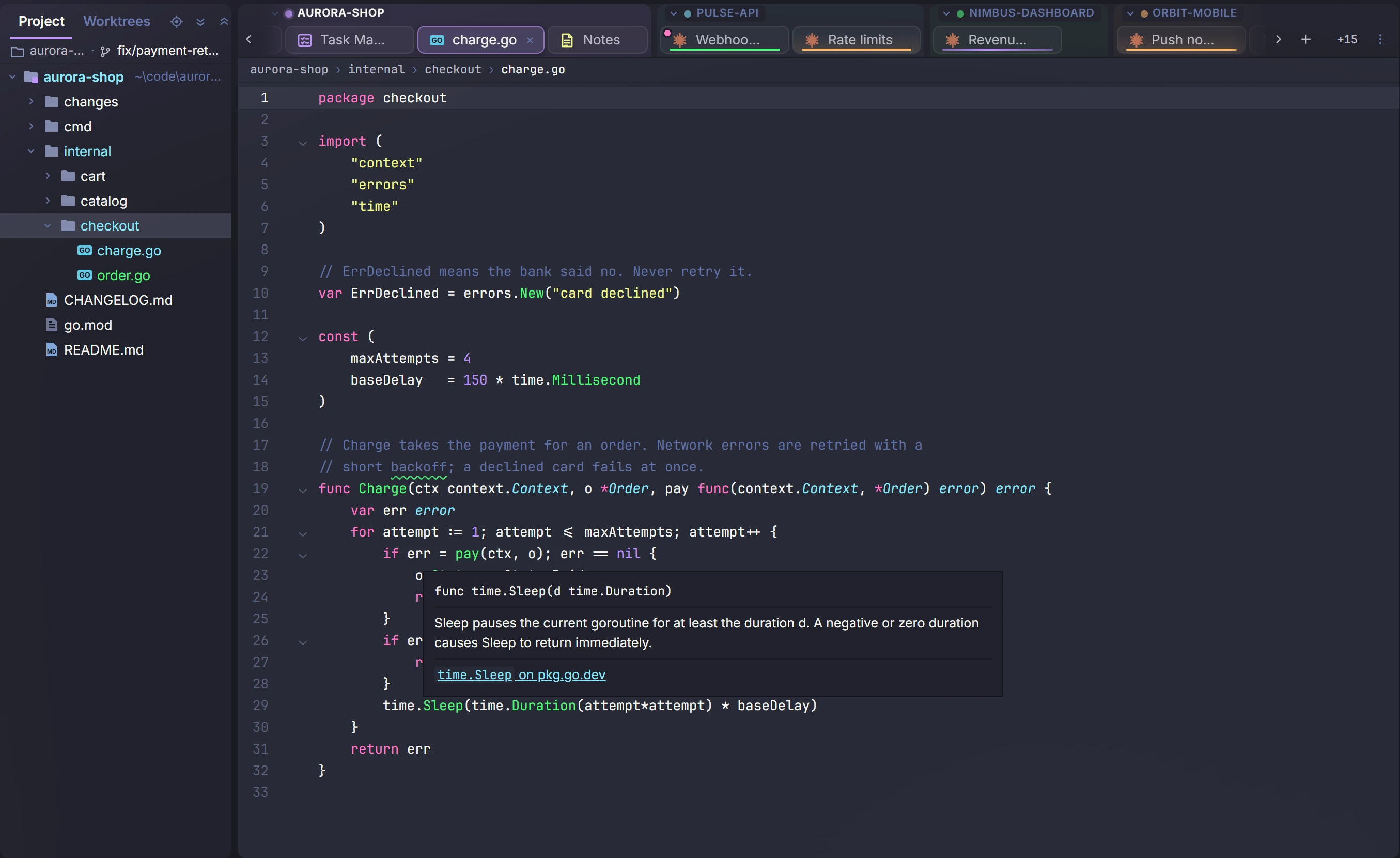
Code editor
For Go and TypeScript: autocomplete, errors as you type, docs when you hover, go to definition and find usages.
Search everywhere
Find files, tabs, commands and settings from one search box. You can also search all projects and past Claude chats.
Git time machine
Open the whole project as it was at any commit, branch or tag, and bring back any file from then.
Run buttons
Run main or a single test with one click, for Go, Vitest and Jest. All your npm, Makefile, justfile and Taskfile scripts in one list.
Go modules
Tidy your Go modules, see which ones have updates, and upgrade them in one place.