Everything around Claude Code, in one window.
More than seventy features in eight groups. All of them are built and in use today. Pick a group, or just scroll.
Claude Code, multiplied
Run as many Claude sessions as you need and always know which one needs you.
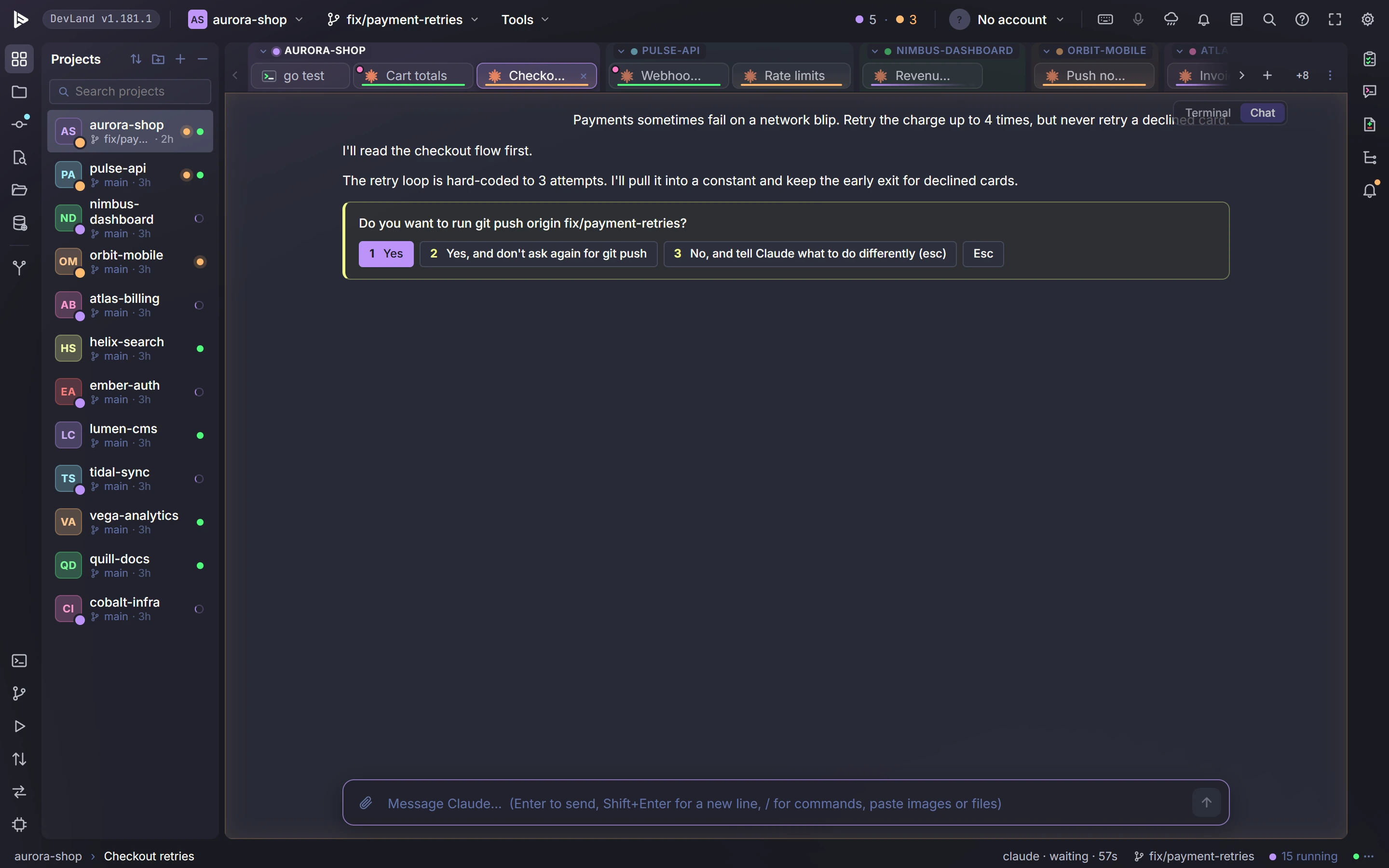
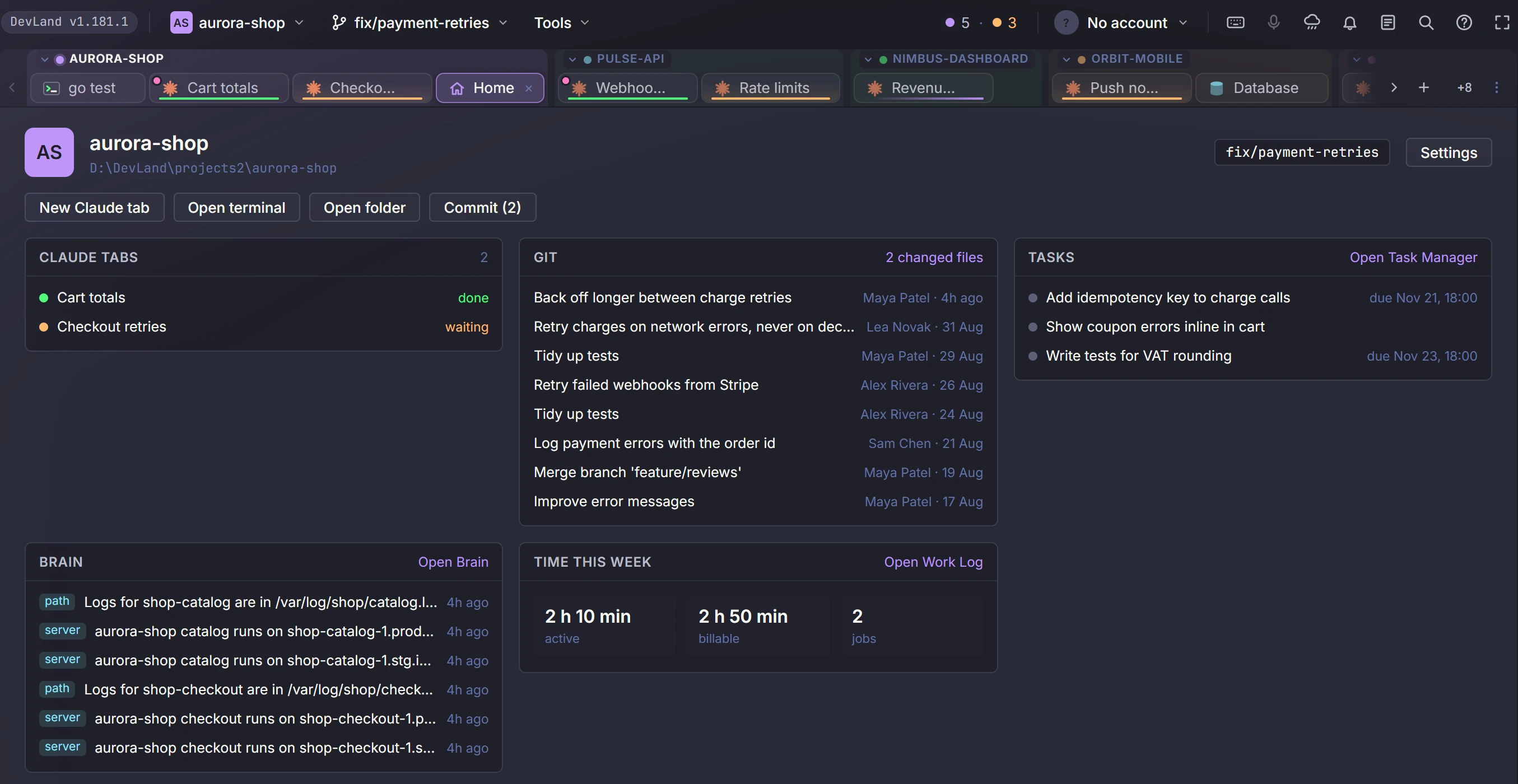
One tab per task, grouped by project, each with its own status dot.
Each tab shows working, waiting or done. When one waits for you, you get a sound, a badge and a desktop alert.
Close the window and your sessions keep running. Open it again and every tab is back.
Start a tab in its own folder and branch, so tabs that run side by side never touch the same files.
One lead tab breaks a big goal into tasks and opens a worker tab for each. It warns you when two tabs edit the same file.
Line up tasks for many projects before bed. A few run at a time, each on its own branch.
See what fills a session's context. Then shrink it to a summary or clear it with one click.
Drop files, folders, diffs or query results on your message to attach them.
Hold a key and speak. Your words turn into text on your own computer.
See your plan's limits in the top bar. Switch between Claude accounts by hand or with rules.
Keep the prompts you use often. Send one to the open tab with a click.
Put Claude next to the editor, a diff or the City.
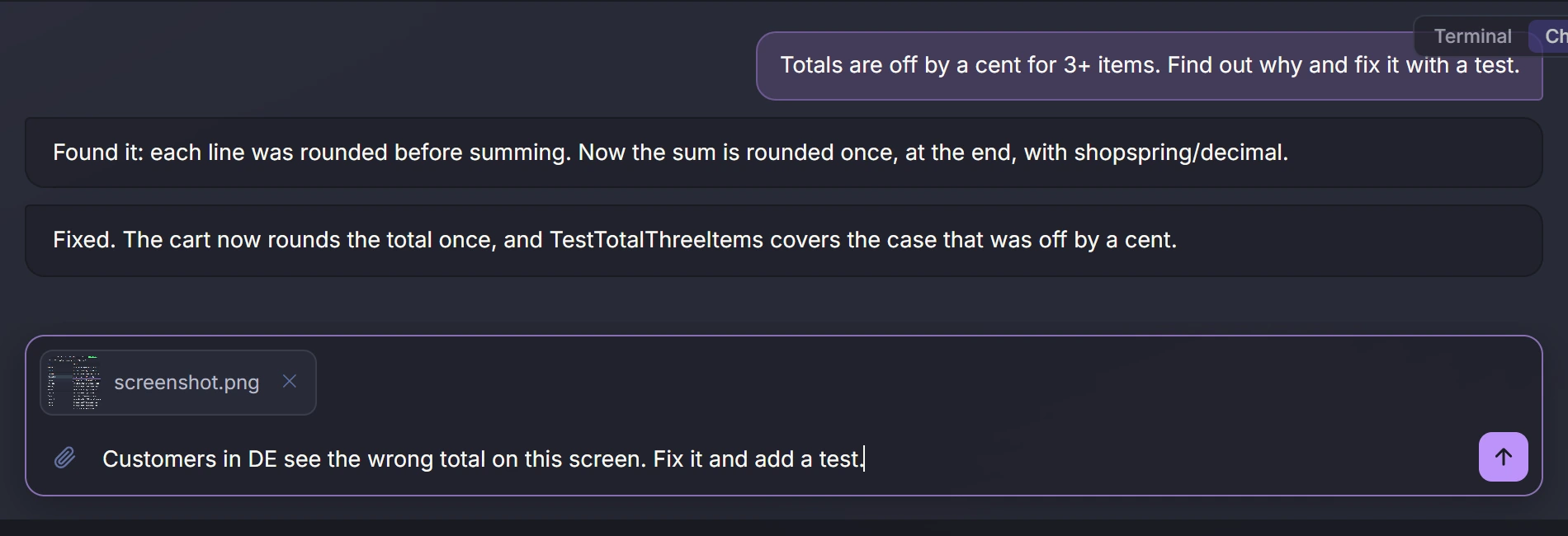
Paste a screenshot straight into a Claude tab. It shows as a small picture and goes with your message. You can drop files too.
Any Claude tab can show as a clean chat: answers, the steps Claude takes, file changes, and questions as buttons. Switch back to the terminal any time.
A Claude tab takes input from one device at a time, so your phone and your PC never type over each other.
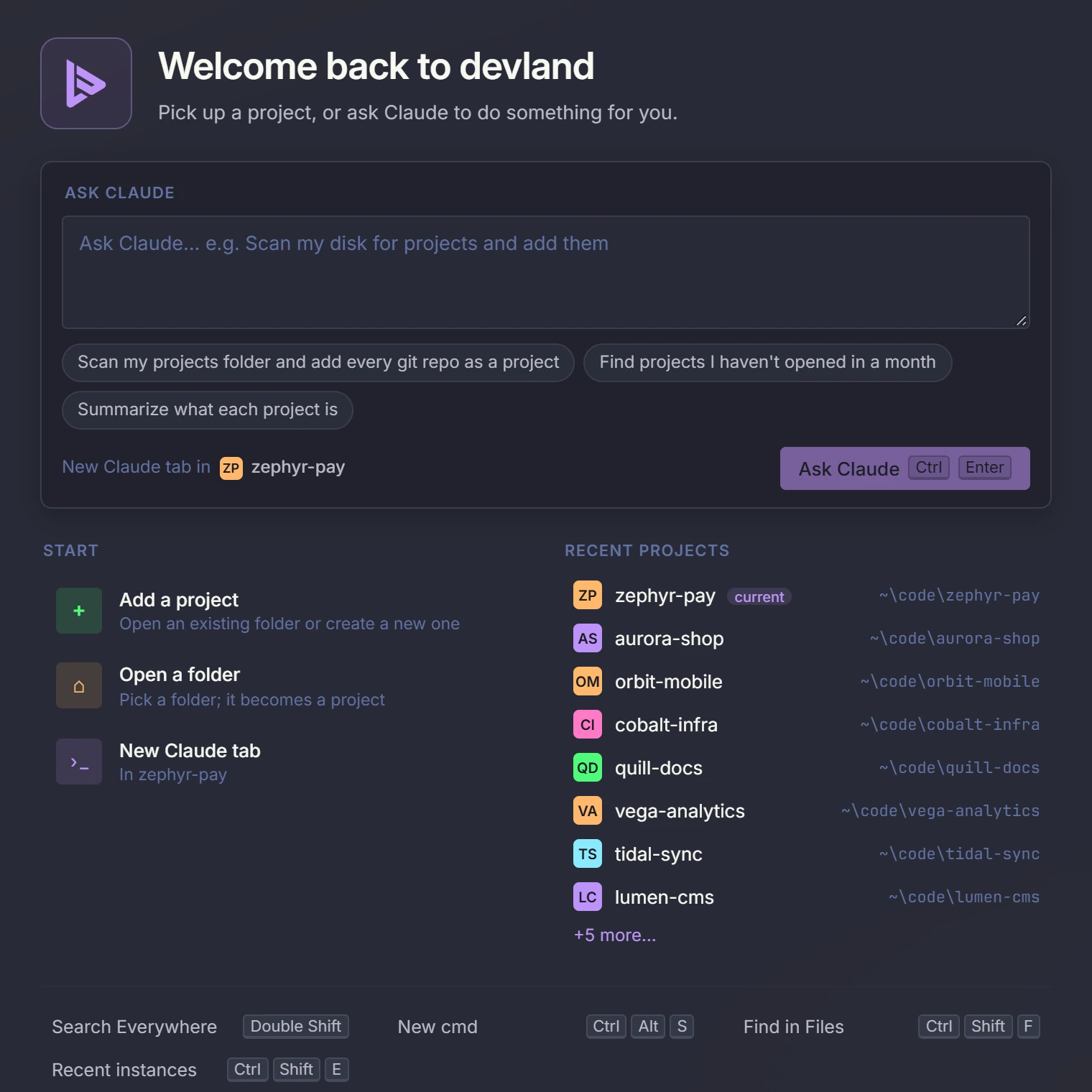
When no tab is open, you see your recent projects, a way to add or open a folder, and an Ask Claude box to start a task right away.
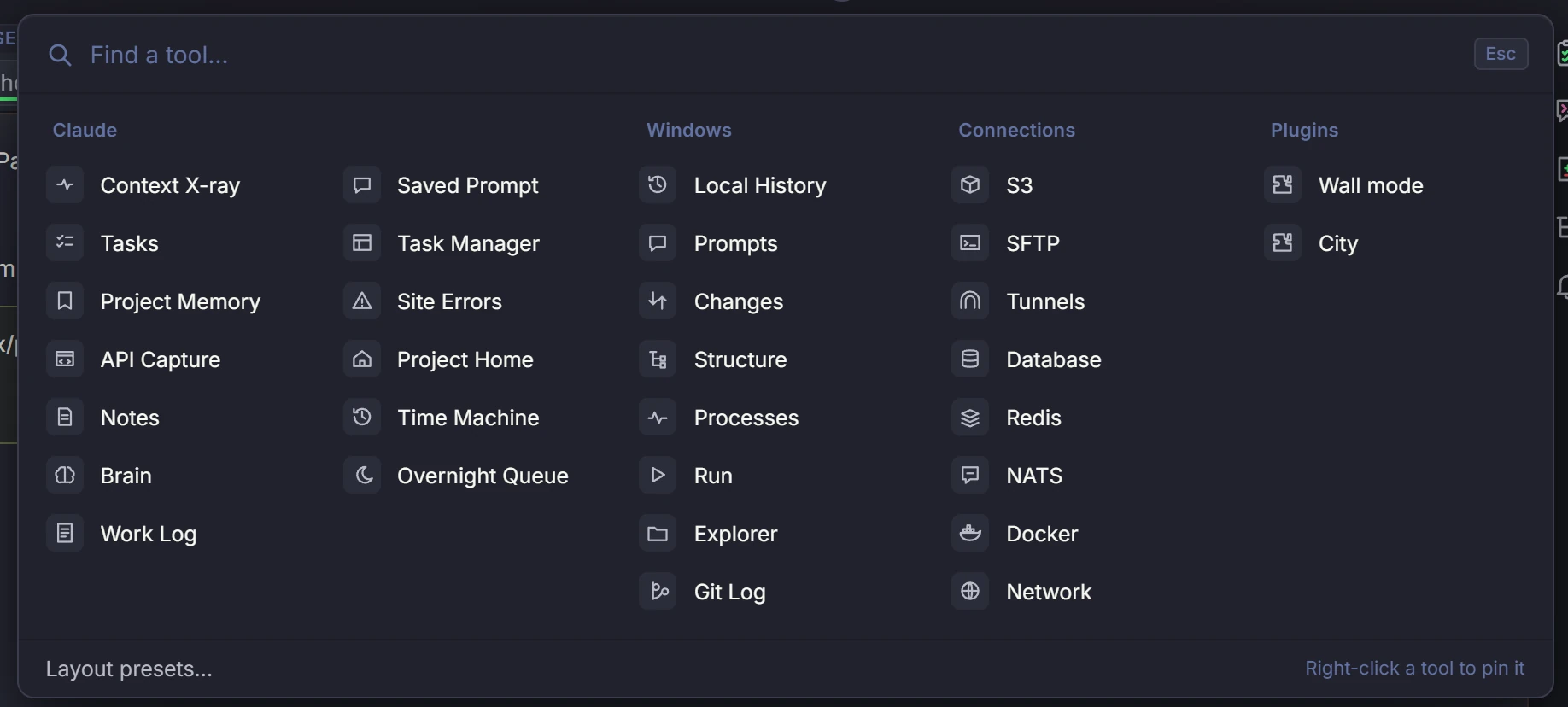
All tools in one panel, with short names, pins and a filter. It is one click from the top bar.
Switch the model from the chat header. Type the next message while Claude works and it waits in a queue. Edit and resend a message, start a new chat from any message, and see a "changed N files" list with the diffs.
Copy a Claude conversation into a new tab. Try a different idea from the same point without losing the first one.
Memory
DevLand remembers your servers, folders and how-to steps, so Claude stops asking. It all stays on your computer.
Run make restore DB=billing_prod on bastion.internal. Backups are in S3 db-backups, kept 30 days.
Facts about servers, paths, deploys, owners and decisions. Each fact belongs to a project and an environment, like staging or prod.
When a session ends, DevLand saves the facts worth keeping and drops the rest.
Ask in plain words. Answers come only from your own facts, and show where they came from.
Once a day DevLand checks your facts. It flags the ones whose hosts, paths or versions have changed.
Passwords and keys are stored encrypted. You can lock them with a password, and make them lock again when you are idle.
Type an ssh, mysql or psql command, or paste a connection string, and DevLand offers to save the host to the Brain.
A shared memory for your department. It has safety rules, hides secrets, lets you review new facts, and logs who did what.
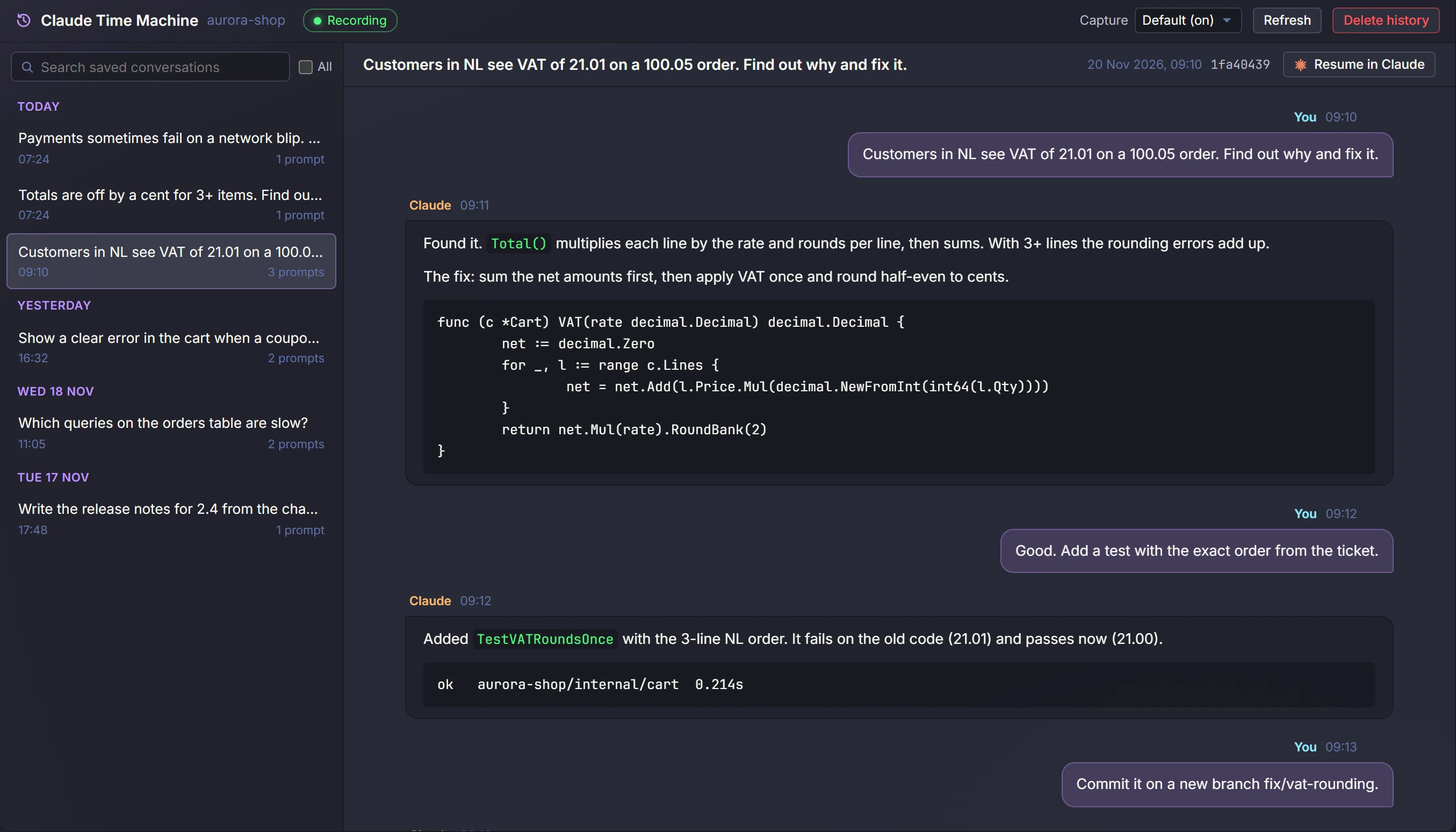
Every chat you had with Claude, per project. Read it, search it, or pick it up where you left off.
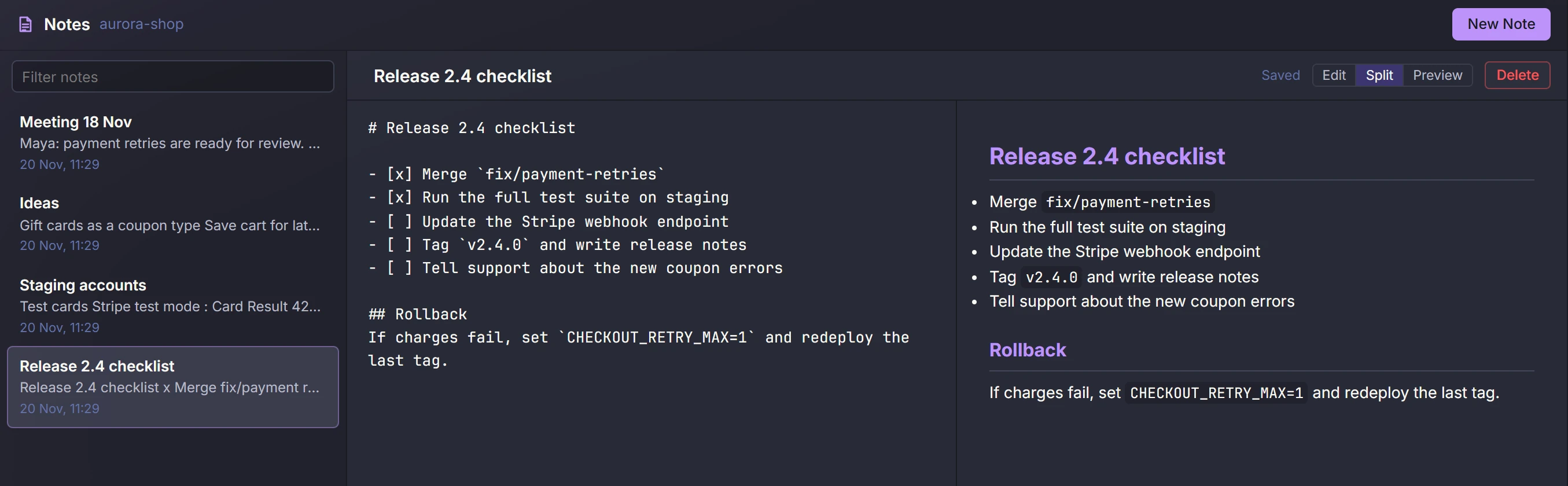
Markdown notes for each project. Save Claude's last answer as a note in one click.
DevLand finds facts that repeat, facts that disagree and facts nobody uses. Merge or remove them in one click.
One tab shows what Claude knows about a project: the rules in CLAUDE.md, the decisions and the changelog. A project without them gets a ready prompt to set them up.
Code and git
Review, fix and ship what Claude wrote without leaving the window.
Autocomplete, live errors, hover docs, go to definition and find usages for Go and TypeScript.
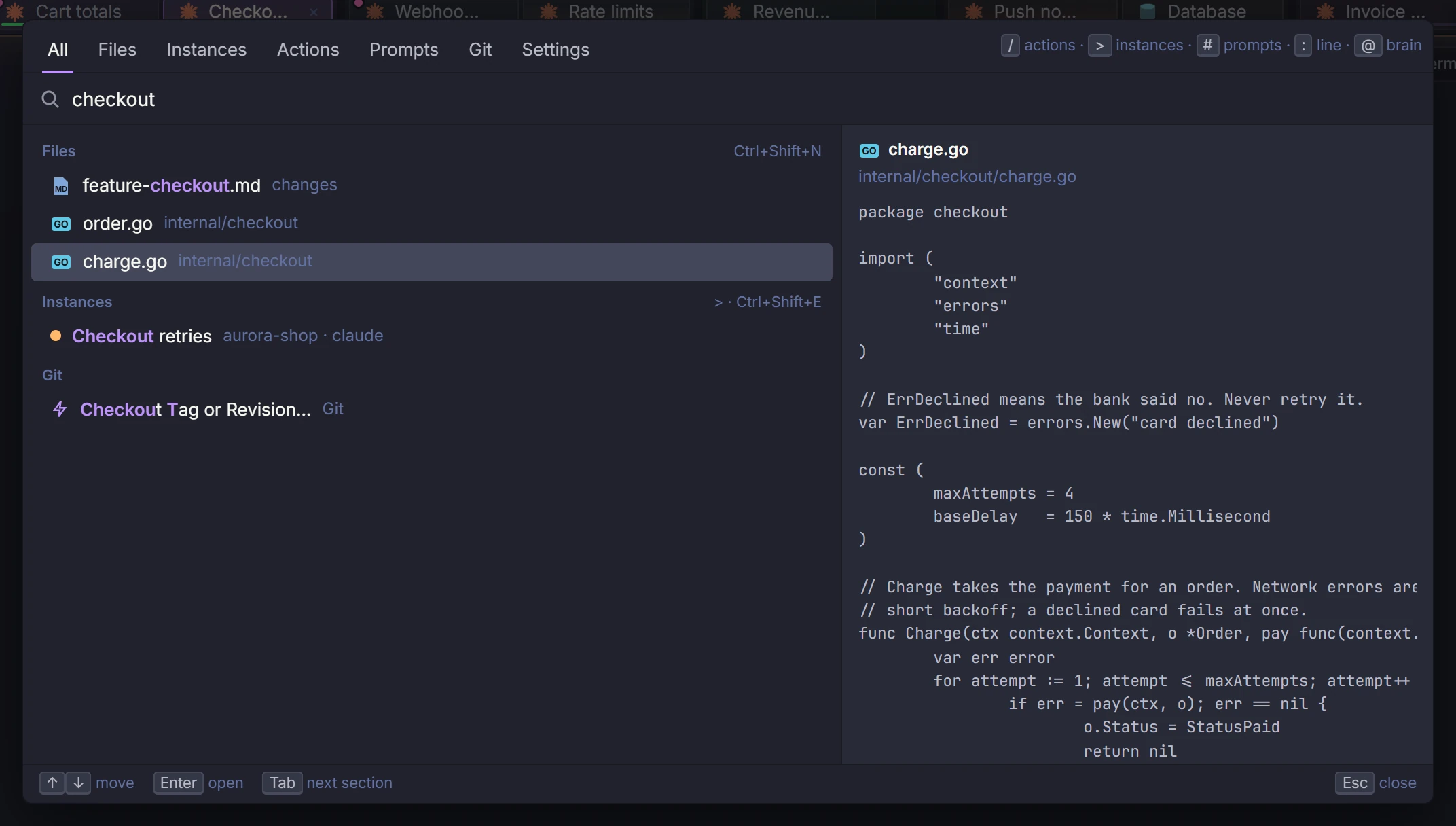
One search box for files, tabs, prompts, commands and settings.
A file tree for each project, plus a full file explorer. Copy, cut, paste and preview files, with help when two files clash.
Open a terminal or Claude tab with admin rights, when a task needs them.
Close a tab, and the dev servers and browsers it started close too. DevLand also finds leftover processes and stops them.
Search code, docs and past Claude chats across all projects at once.
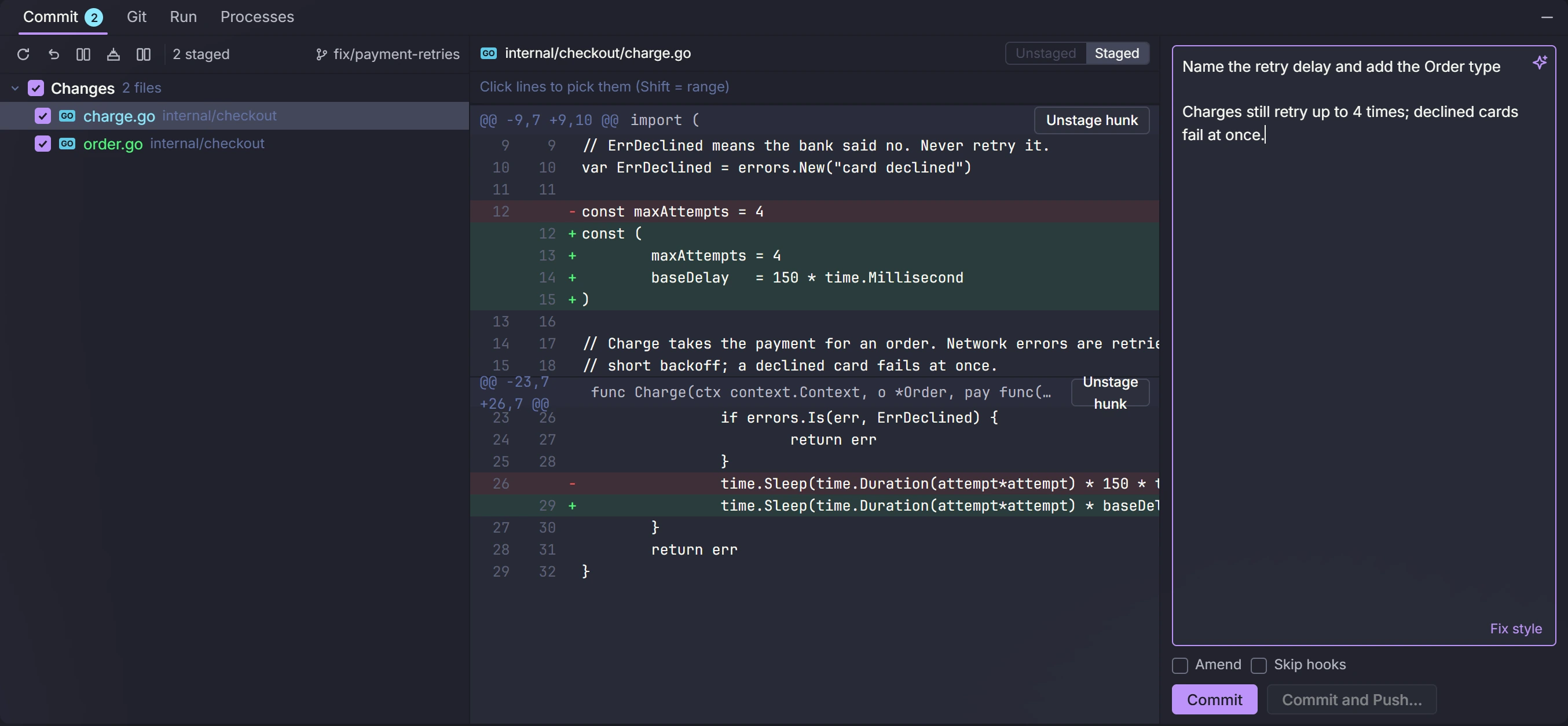
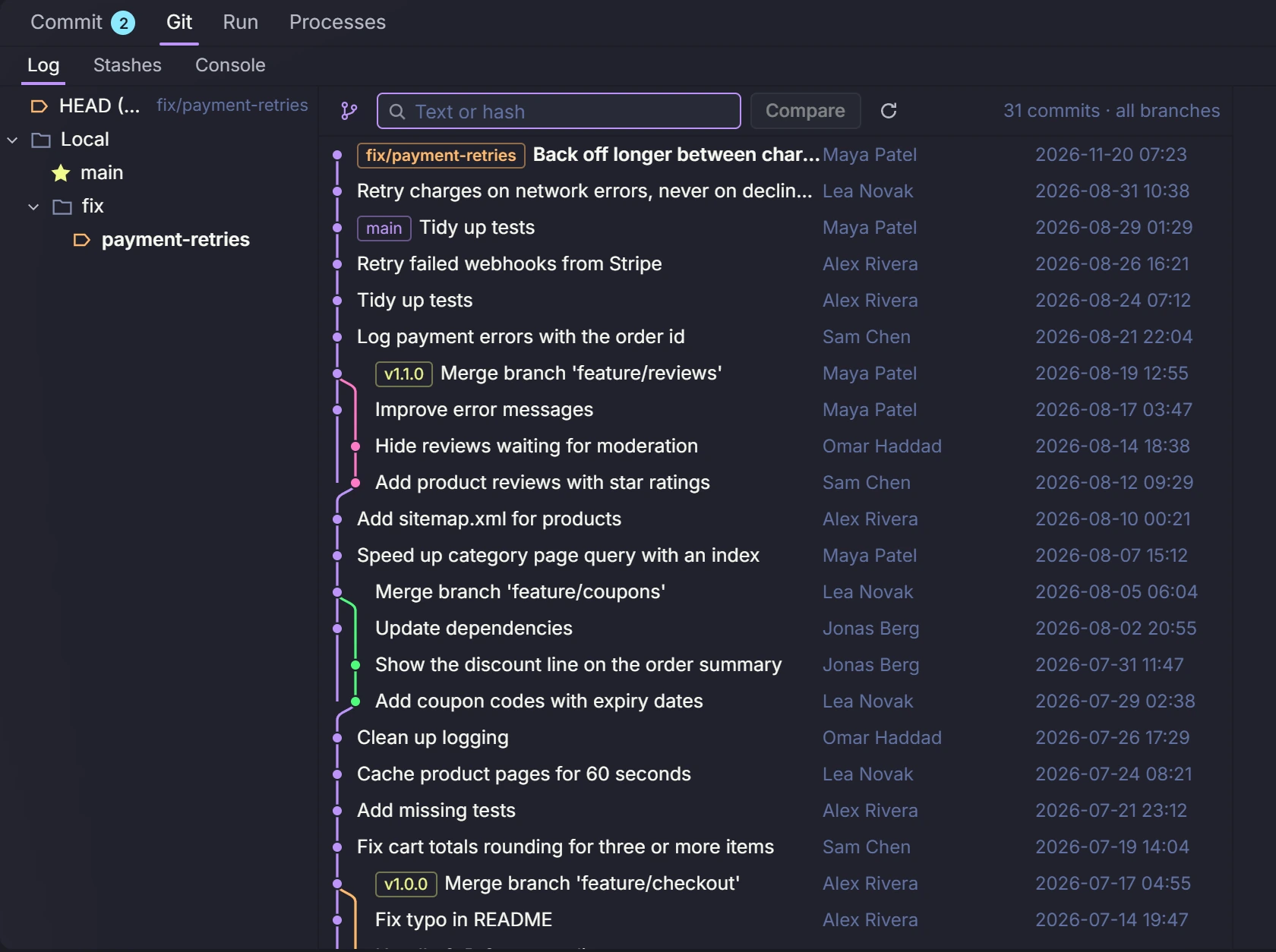
Stage single lines or blocks of changes. Branch, merge, rebase, stash, blame, and see the history as a graph.
Drag commits to change their order. Join, rename or drop them.
Get a commit message written from your staged changes, in your project's style.
DevLand keeps a copy of the file on every save and every Claude edit. See them on a timeline and go back to any one.
Before you commit or push, DevLand checks the new lines for keys and passwords.
Open log files of many gigabytes fast. Filter them and watch new lines come in.
Each project fetches in the background and pulls new commits when it is safe: no merge in progress and no Claude working there. A badge shows how many commits are waiting. It can pause on battery or a metered connection.
A run button next to main and next to each test, for Go, Vitest and Jest. All scripts from npm, Makefile, justfile and Taskfile in one list. For Go modules: tidy, check for updates and upgrade.
DevLand asks before you commit on main. It fills in the ticket number from the branch name, like PAY-142. Share these rules with your team in the project settings.
Open the whole project as it was at any commit, branch or tag. Read any file from back then and bring it back with one click.
Infra tools
Check the data and servers Claude touched, in the same window.
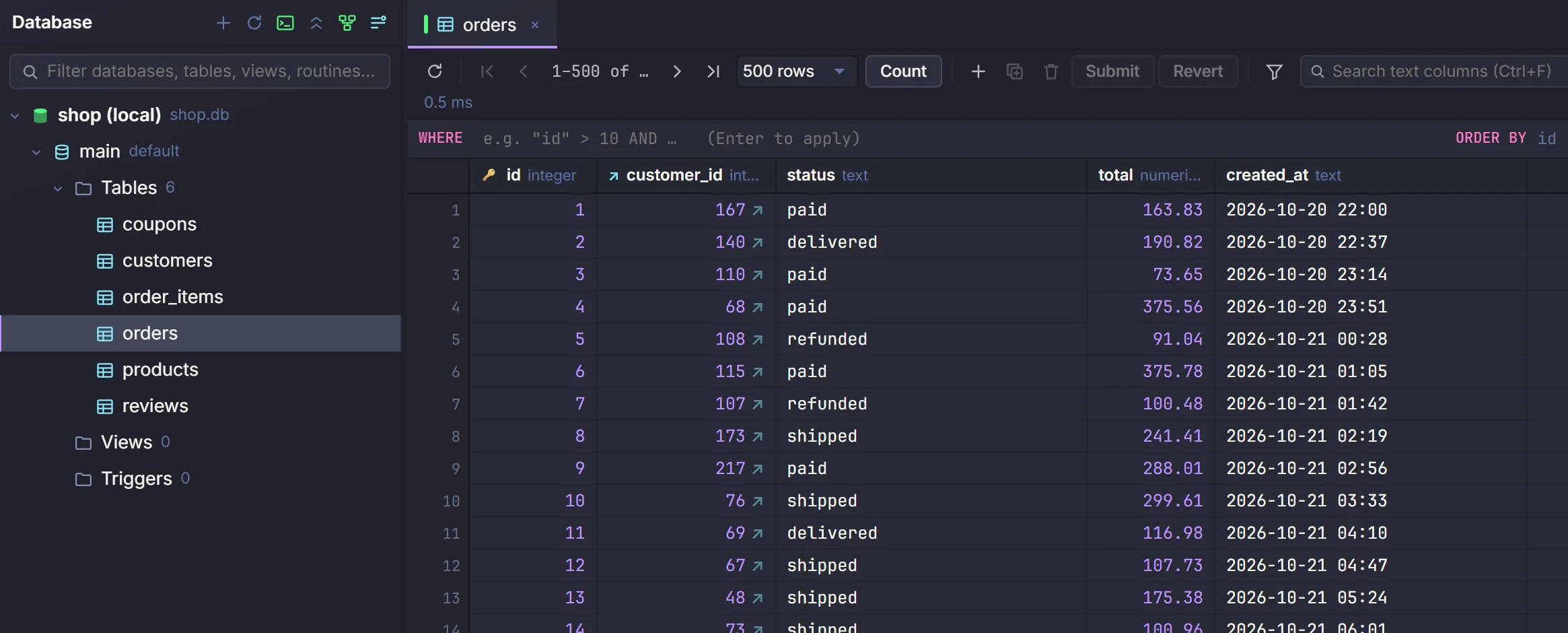
MySQL, MariaDB, Postgres and SQLite: browse, edit, run queries, design tables, import, export and back up.
Browse and edit keys on single nodes and clusters.
See how your services connect and watch messages live. Work with streams, key-value data, the object store and a console.
Containers, images, volumes, compose stacks, logs, shells and builds, on your computer or a remote host.
Browse buckets. Upload and download, with pause and resume. Preview media files.
Browse, copy files, sync folders and edit files on the server directly.
Saved tunnels you turn on and off with a switch. A light shows if each one is up.
Ping, traceroute, port check, DNS lookup and checks for mail settings.
For Postgres: the slowest queries, locks and who is blocking them, plus vacuum and analyze. For MySQL, MariaDB and Postgres: manage users and their rights, and edit stored routines.
Claude with your tools
Let Claude use what you already set up, with limits you choose.
select count(*) from orders where status='open'admin.aurora-shop.dev/ordersClaude can use your saved connections as tools. Your passwords never go into a prompt.
Pick full, read-only or off for each connection. You can also turn single tools on or off.
Claude can use your logged-in Chrome, Edge, Brave or Firefox, one site at a time.
Catch page errors on your dev sites. Or point at a part of the page and send it to Claude.
See all the MCP servers and skills Claude Code uses, and turn each one on or off. Install new ones in one click from a catalog, the official MCP list or Anthropic's skills.
Claude reads a task from Favro or PM2, works on it with you, and posts a short summary back on the task. Other tools on request.
See it all at once
Views built for when you run many sessions on many projects.
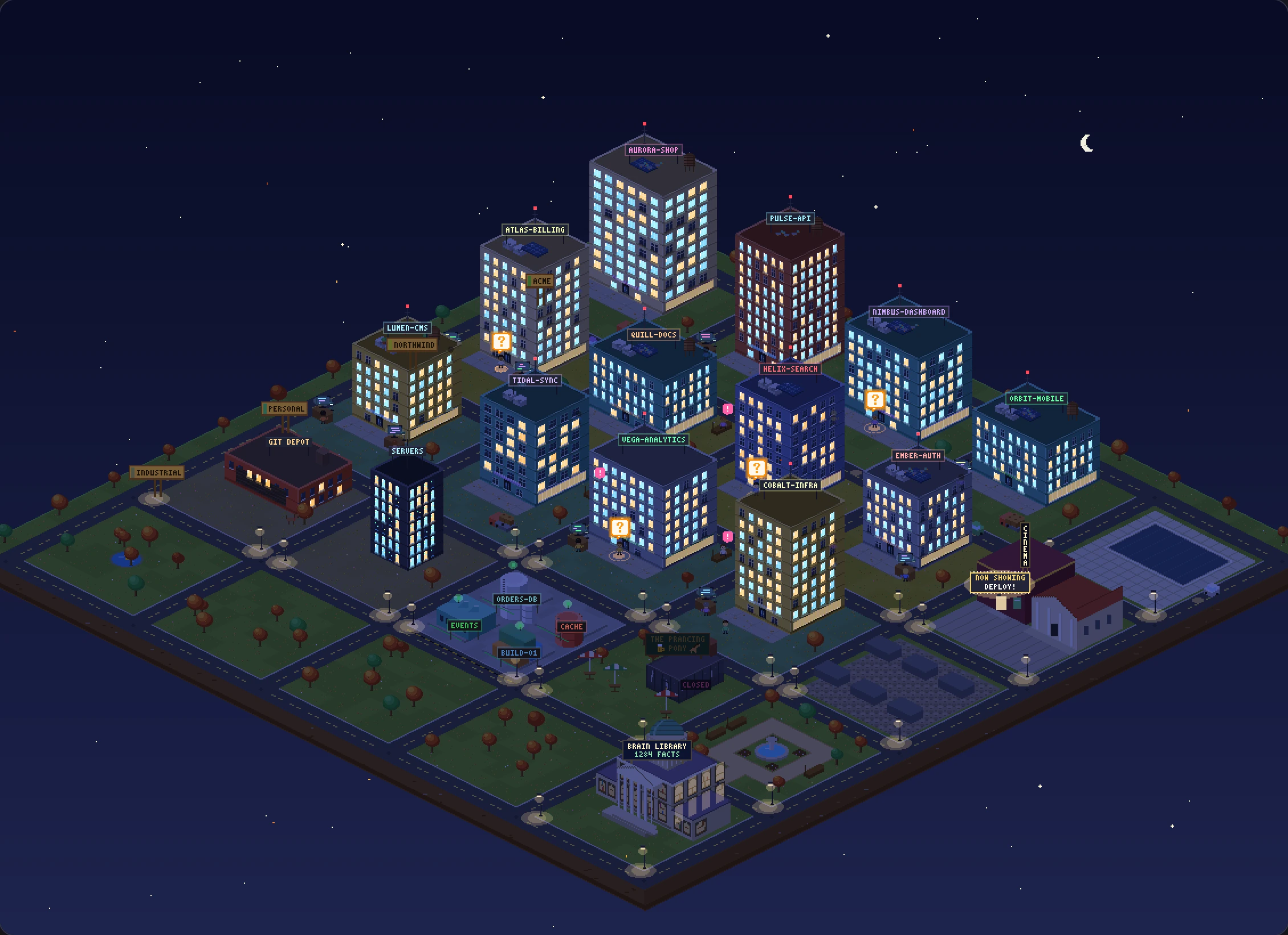
Your work as a pixel city: buildings are projects, workers are Claude tabs.
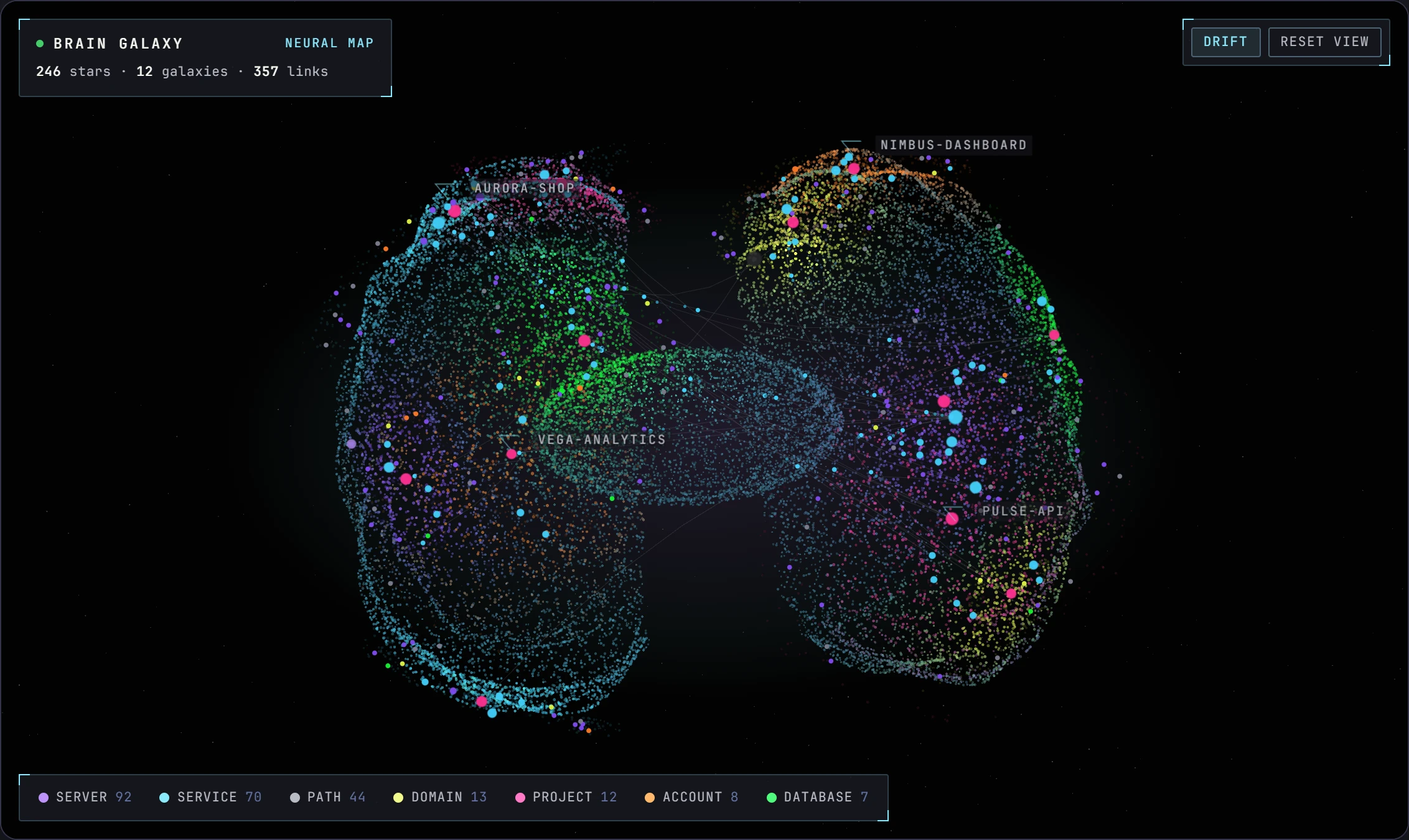
Your memory as a 3D map of galaxies and stars.
Every Claude tab, live, on a second screen.
One page per project: tabs, git, tasks, Brain facts and time this week.
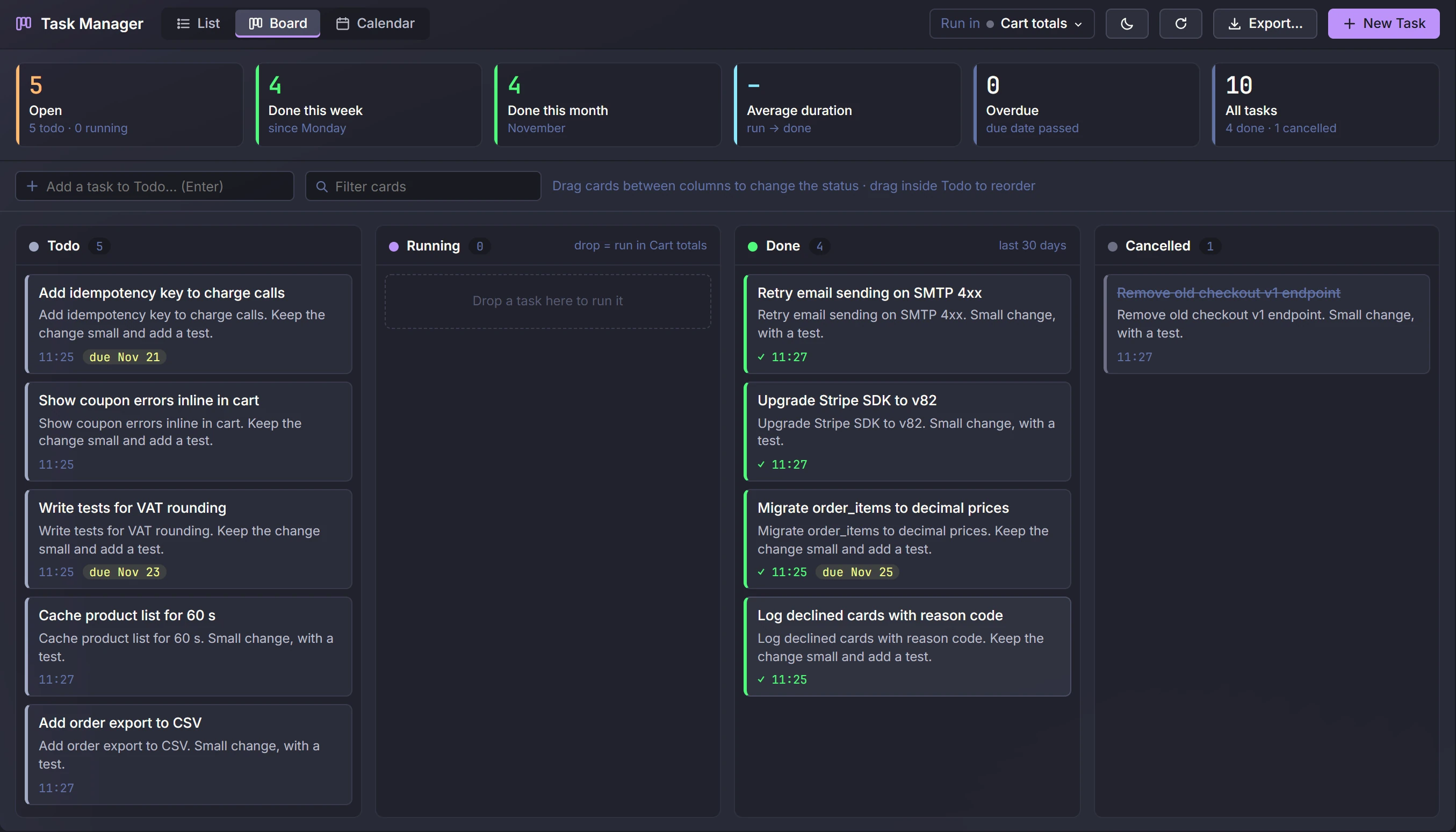
Tasks for each project as a list, a board or a calendar, with due dates. Change many at once, export them, and send any task to Claude.
Phone and remote
Keep up with Claude when you are away from your desk.
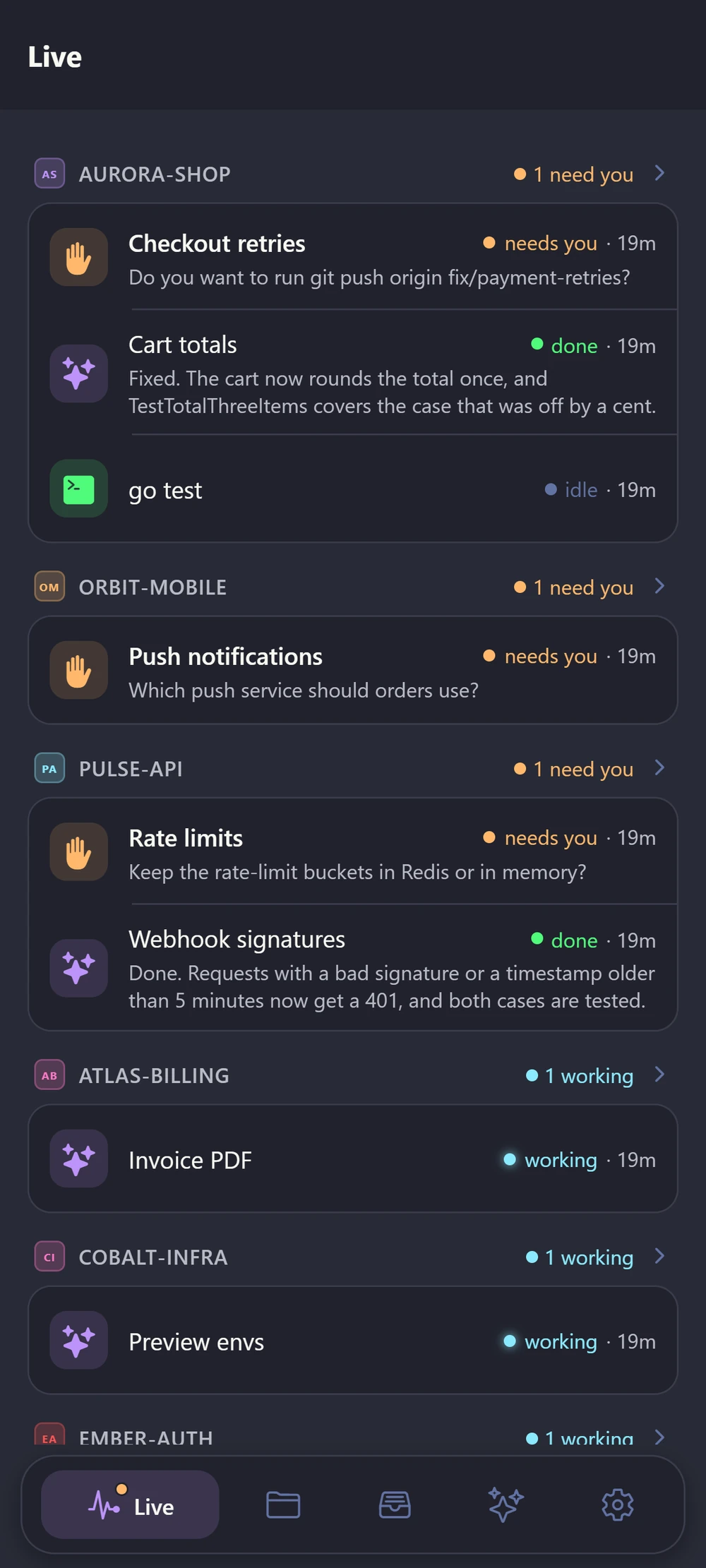
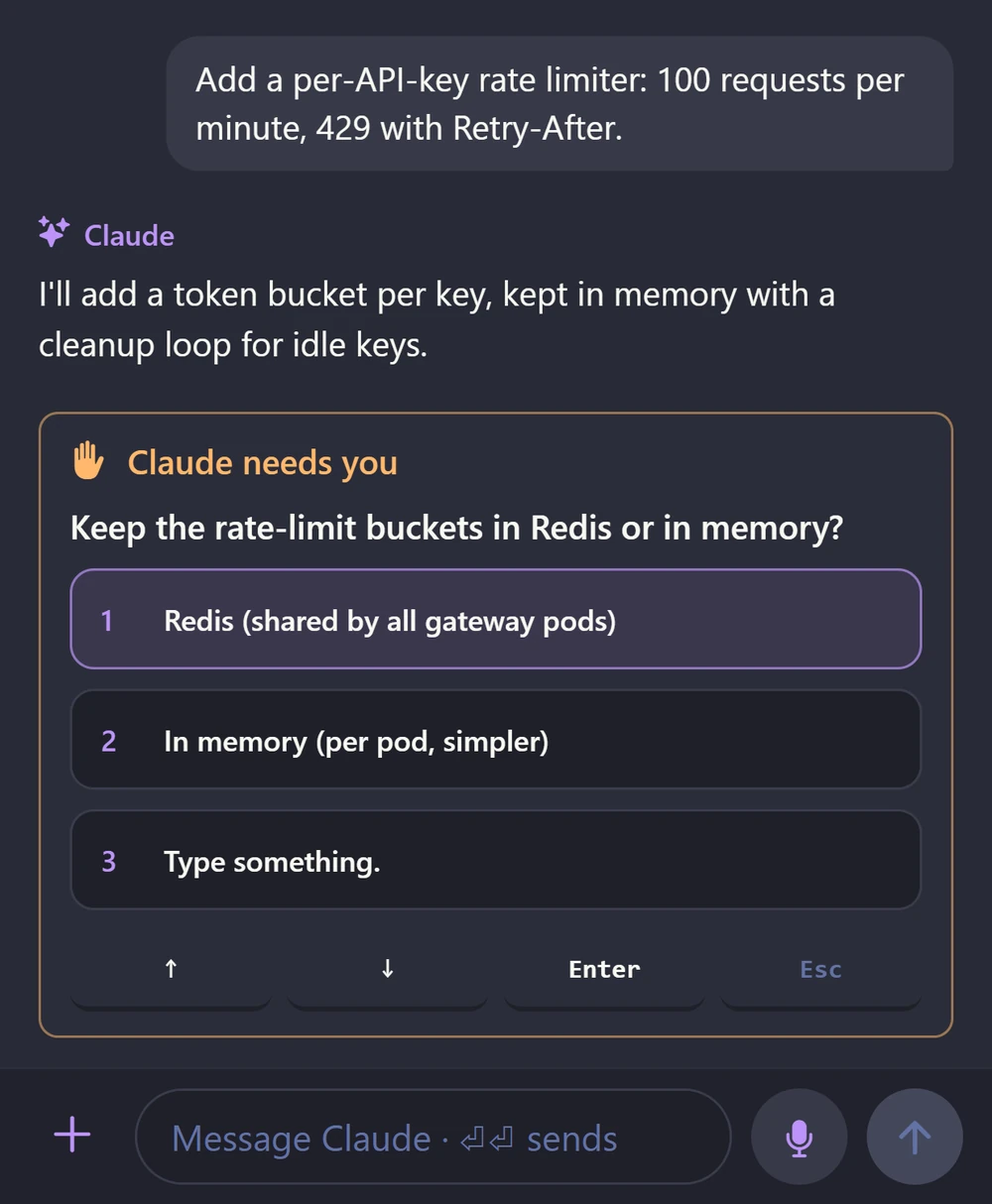
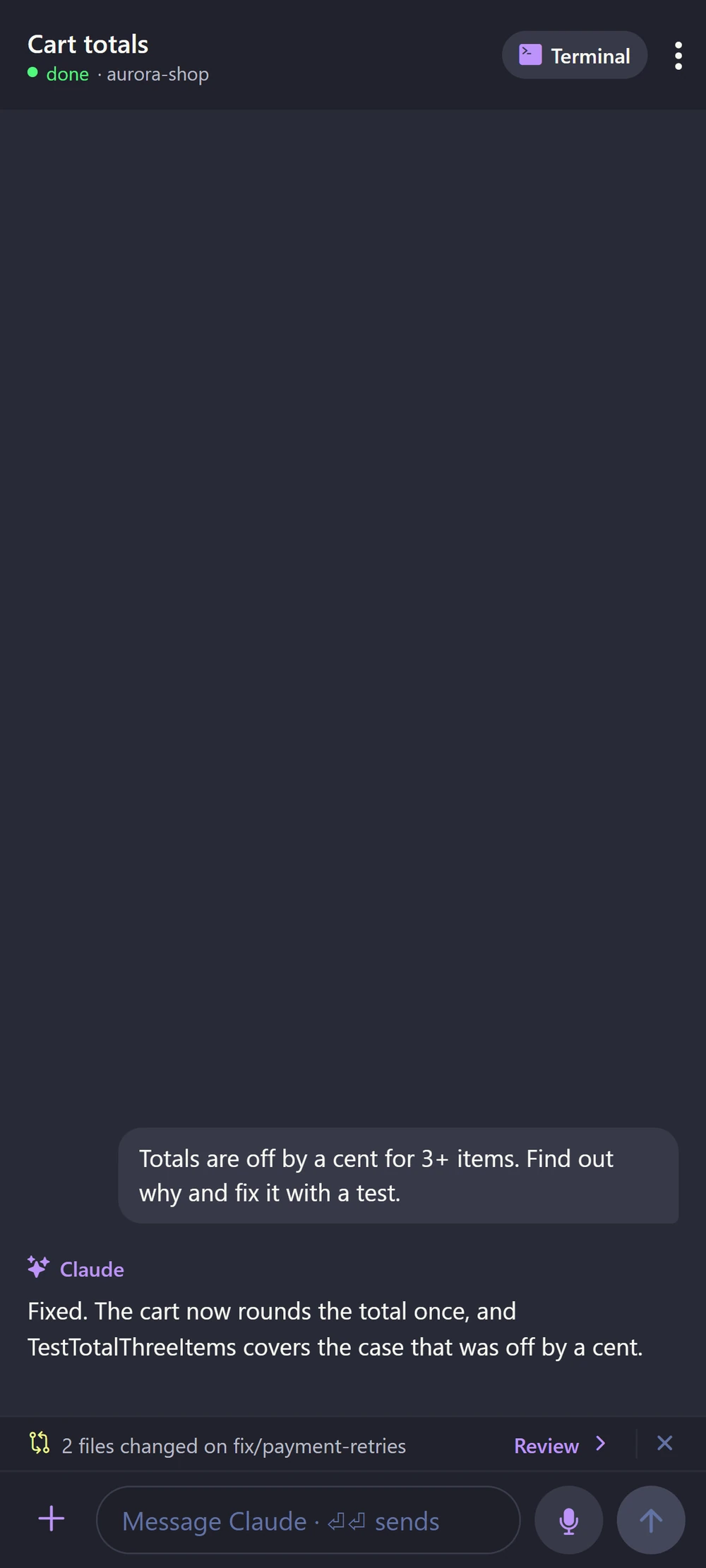
Pair it with a QR code. See live tabs, chats, git and files on your phone.
Read the question and tap the answer, or speak a new task.
Use DevLand from the browser on another PC. Sign in with a password.
Make it yours
Fit DevLand to how you and your team work.
Add new features, with their own backend and screens, from a folder, a zip file or a git URL. No restart needed.
Nomad, TeamCity, Consul, Docker registry, Cloudflare DNS, Favro and email drafts.
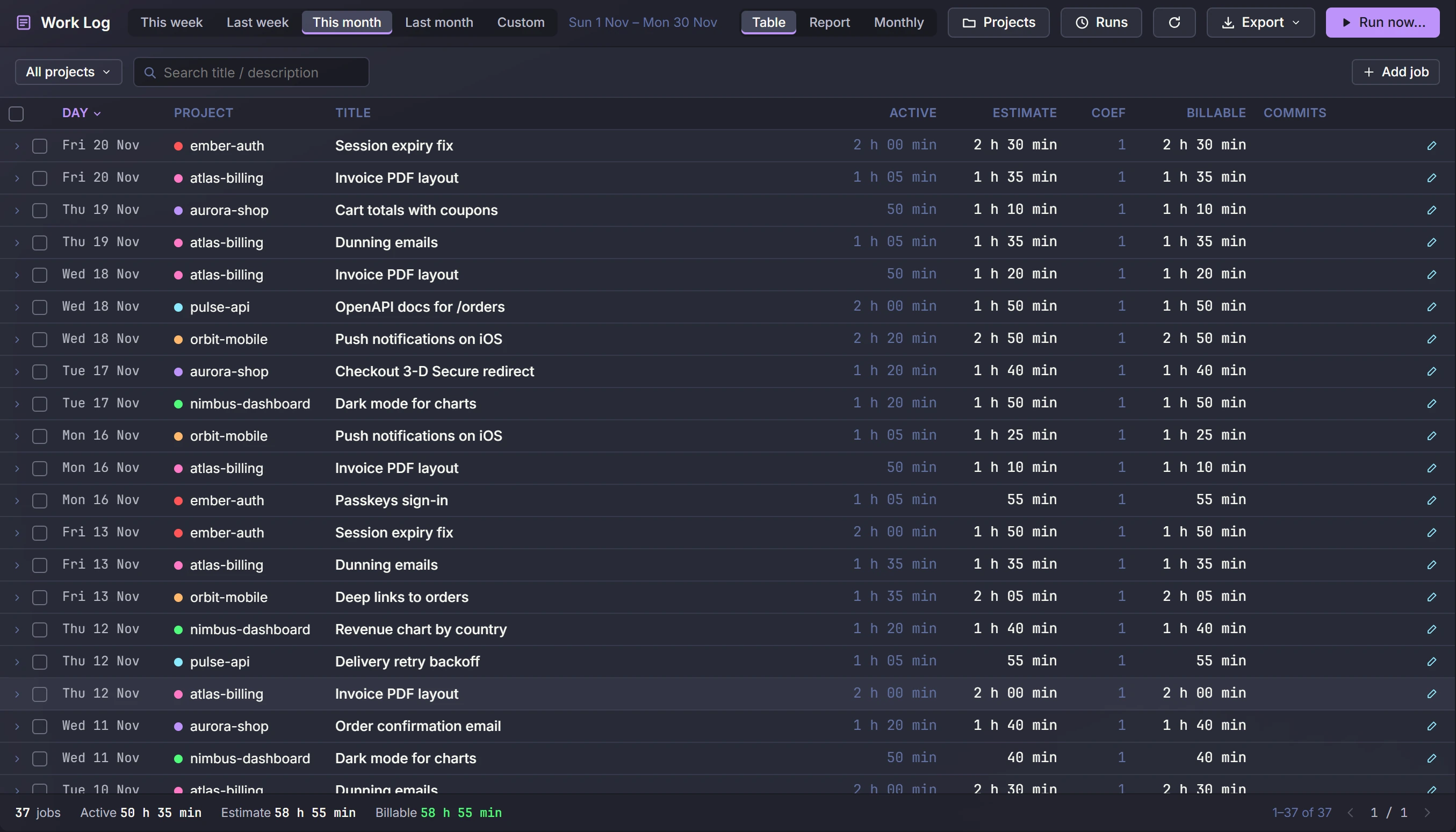
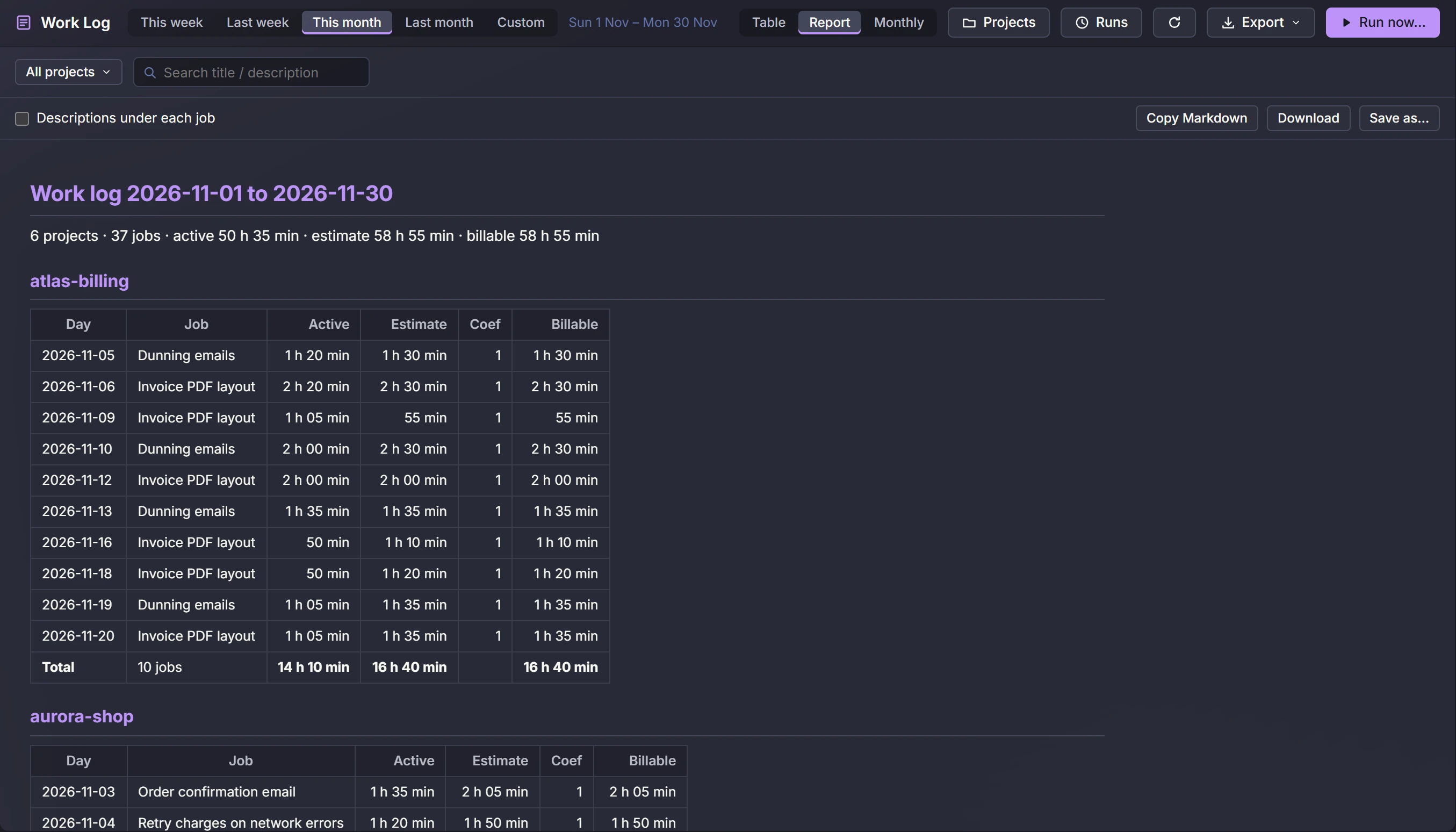
Hours per project per day, built from your sessions and commits, ready to export.
15 dark and light themes. Change colours, fonts and spacing and see it live.
Shared and personal settings for each project. You can keep them in the repo if you like.
New versions download, check themselves and install. If one fails, DevLand goes back to the old version on its own.
Switch the whole window between Coding, Review and Ops layouts in one click, or save your own.
More of DevLand
The places you will spend your day. Click any screen to see it large.
See it on your own projects
DevLand is in a closed beta. Ask for an invite and we will send you a key.
Request early access