01
Start as many sessions as you need
One Claude tab per task, grouped by project. Each tab can work in its own copy of the code, so two tabs never edit the same files.
DevLand? Claude Code on steroids.
DevLand runs the Claude Code you already have, for all your projects at the same time. It shows you which session needs you. You can answer from anywhere, and git, databases and servers are one click away.
Ten sessions across nine projects, all in one window
DevLand has no AI of its own. It starts the Claude Code you already use, one tab per task, and keeps everything around it one click away.
One Claude tab per task, grouped by project. Each tab can work in its own copy of the code, so two tabs never edit the same files.
Every tab shows if it is working, waiting or done. You get a sound and an alert when one stops to ask you something.
Read the question, tap an answer, and Claude keeps going.
The Brain stores your servers, folders and how-to steps. Every session looks there first.
Claude can use the databases and servers you saved in DevLand. For each one you choose full access, read-only or off.
Each part has its own page. Here is the short version.
Every project is a building and every Claude tab is a worker. A worker with a question waits at the door. Rain means a build failed. A crane means a long task. One look tells you how everything is going.
Play with the City
Take a screenshot and paste it in any Claude tab. It shows up as a small picture next to your message, and Claude sees it along with your words. You can drop in files and folders too, in the chat or in the terminal view.
More ways to give Claude context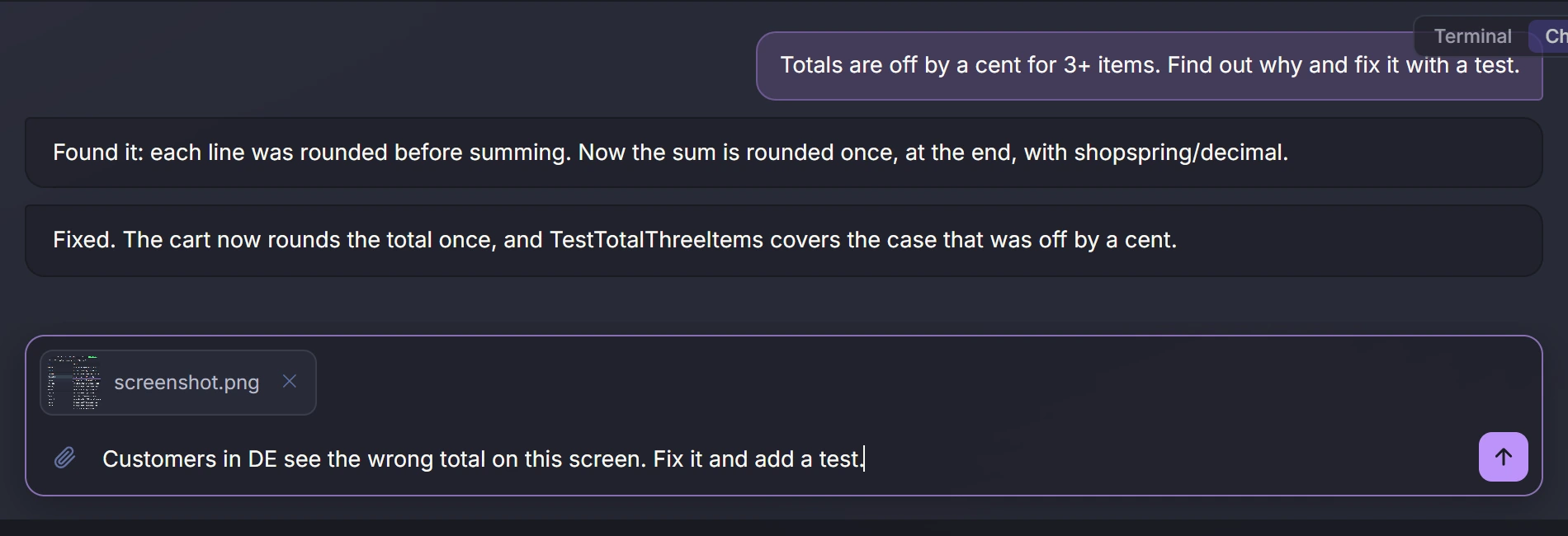
Every night DevLand looks at the day's Claude sessions, commits and file changes. It turns them into a list of jobs with hours, per project. You get a monthly report per customer, ready to bill. With CBrain, managers see what the whole team got done.
How the work log works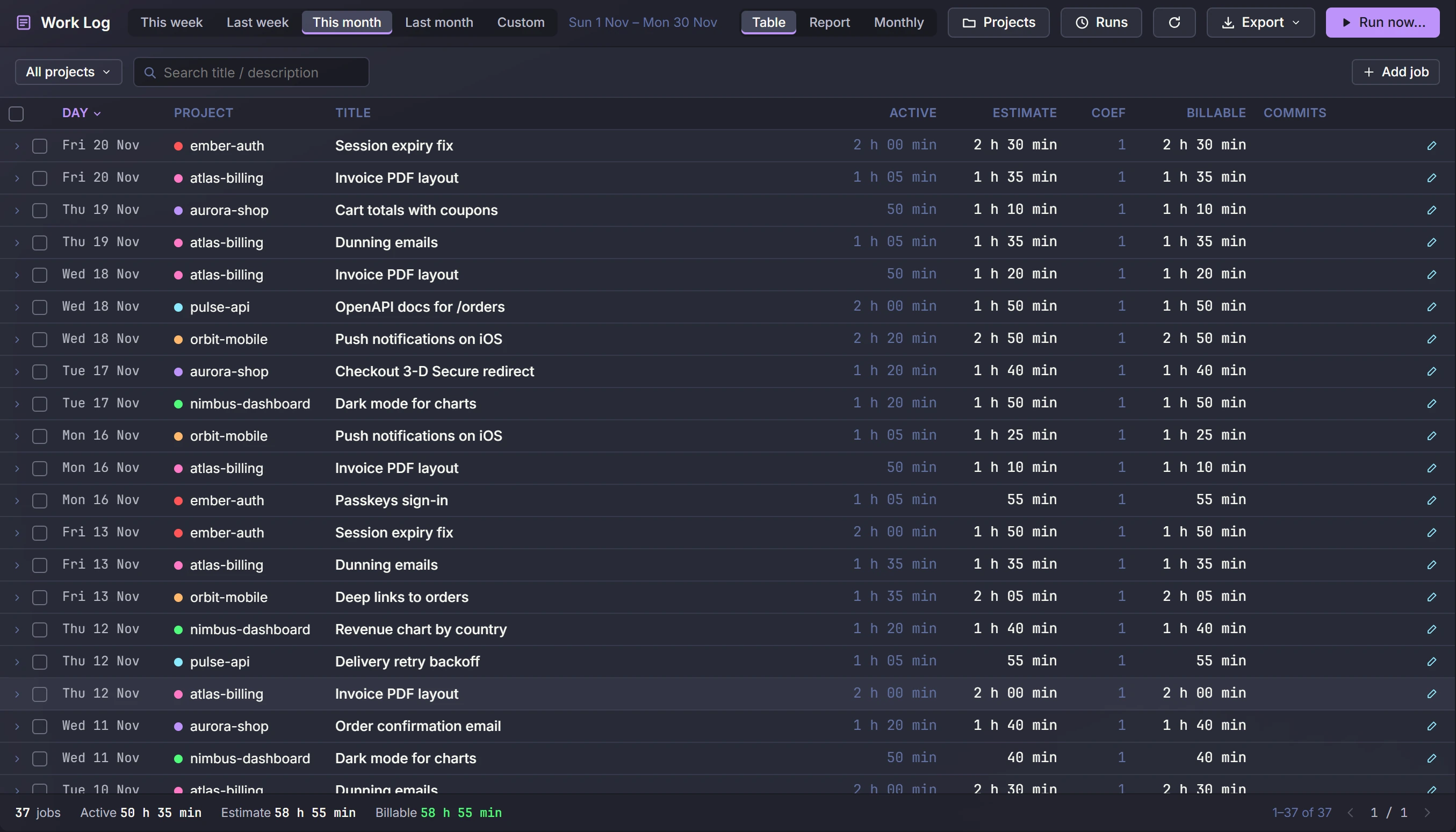
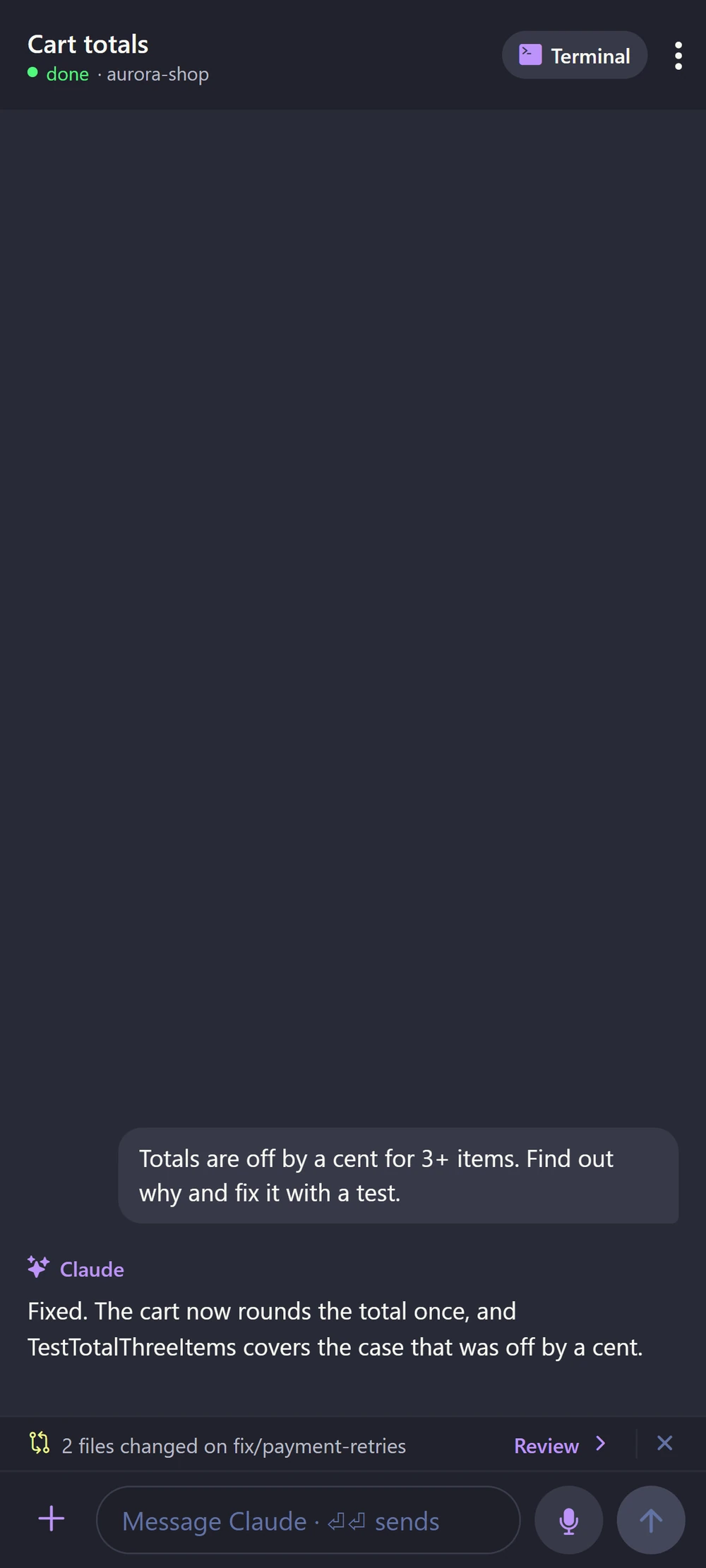
Pair your phone with a QR code. See every session live, read what Claude asks and tap the answer. Speak to start a new task. Commit and push from the git screen.
See the phone app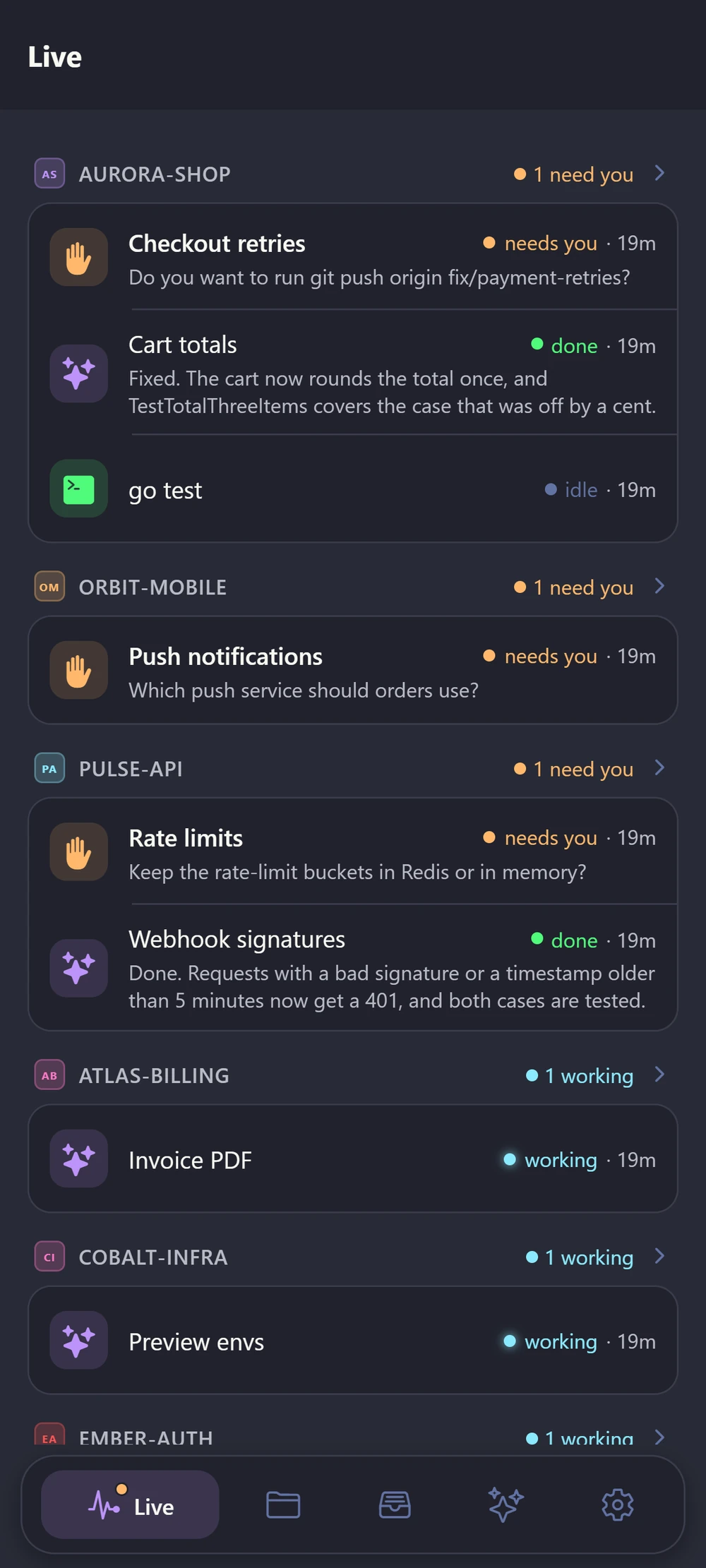
DevLand writes down the useful things Claude learns: where your servers are, how you deploy, who owns what. Next time, any Claude session can look them up, so you don't explain the same thing twice. Passwords stay locked on your computer.
More about the BrainWhen one person's Claude learns something, the whole team's Claude can know it too. You choose what to share. Passwords are hidden, and you run the server yourself. Managers can also see what the team got done each day.
See how CBrain works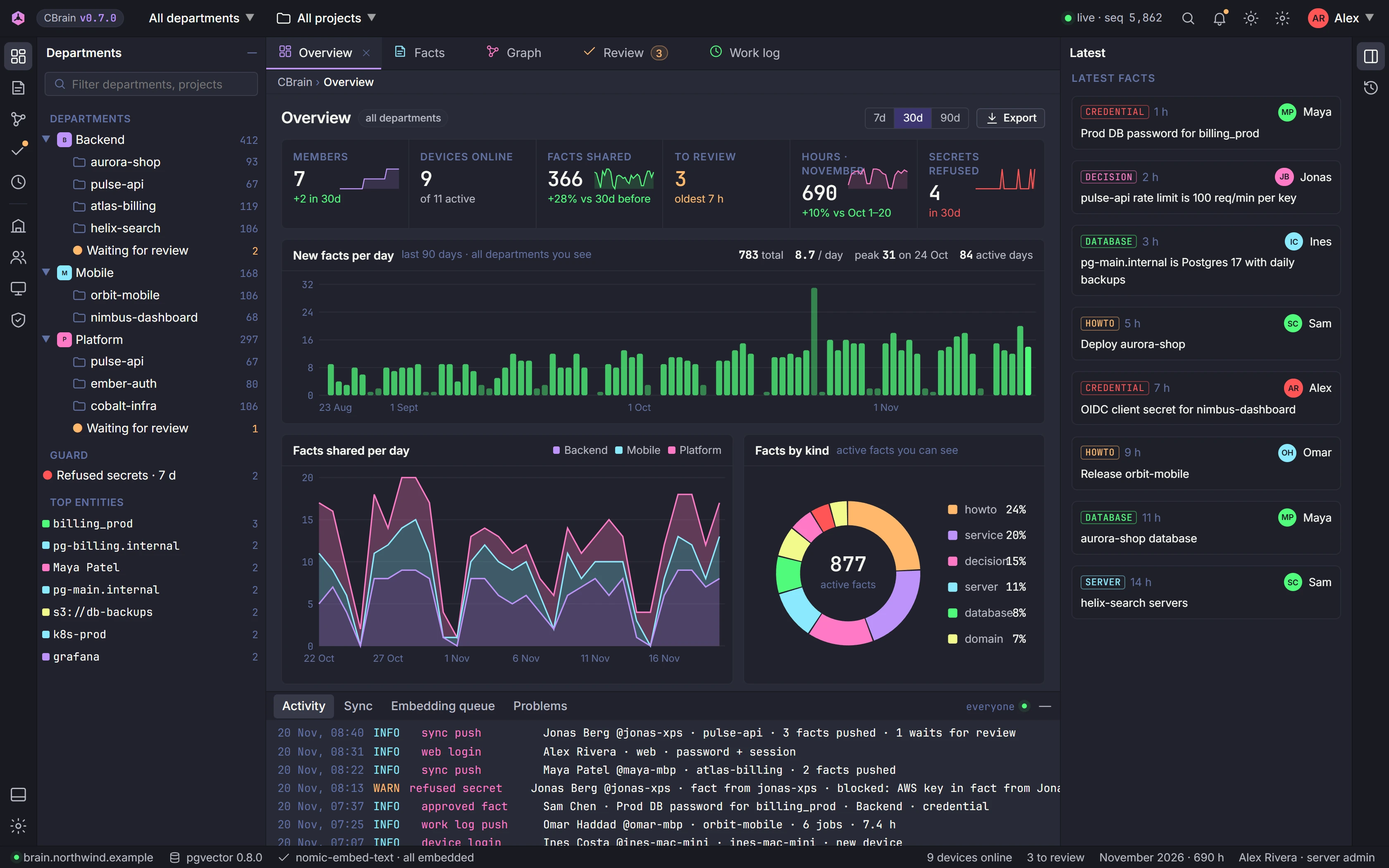
A small extension for Chrome, Edge, Brave and Firefox lets Claude open pages, click, read errors and call APIs while logged in as you. It asks you first for every new site, and you can say no.
How the extension worksA full git client, a database client for MySQL, MariaDB, Postgres and SQLite, and screens for Redis, NATS, Docker, S3, SFTP and SSH tunnels. Claude can use your saved connections too, but only with the access you give it.
All built-in tools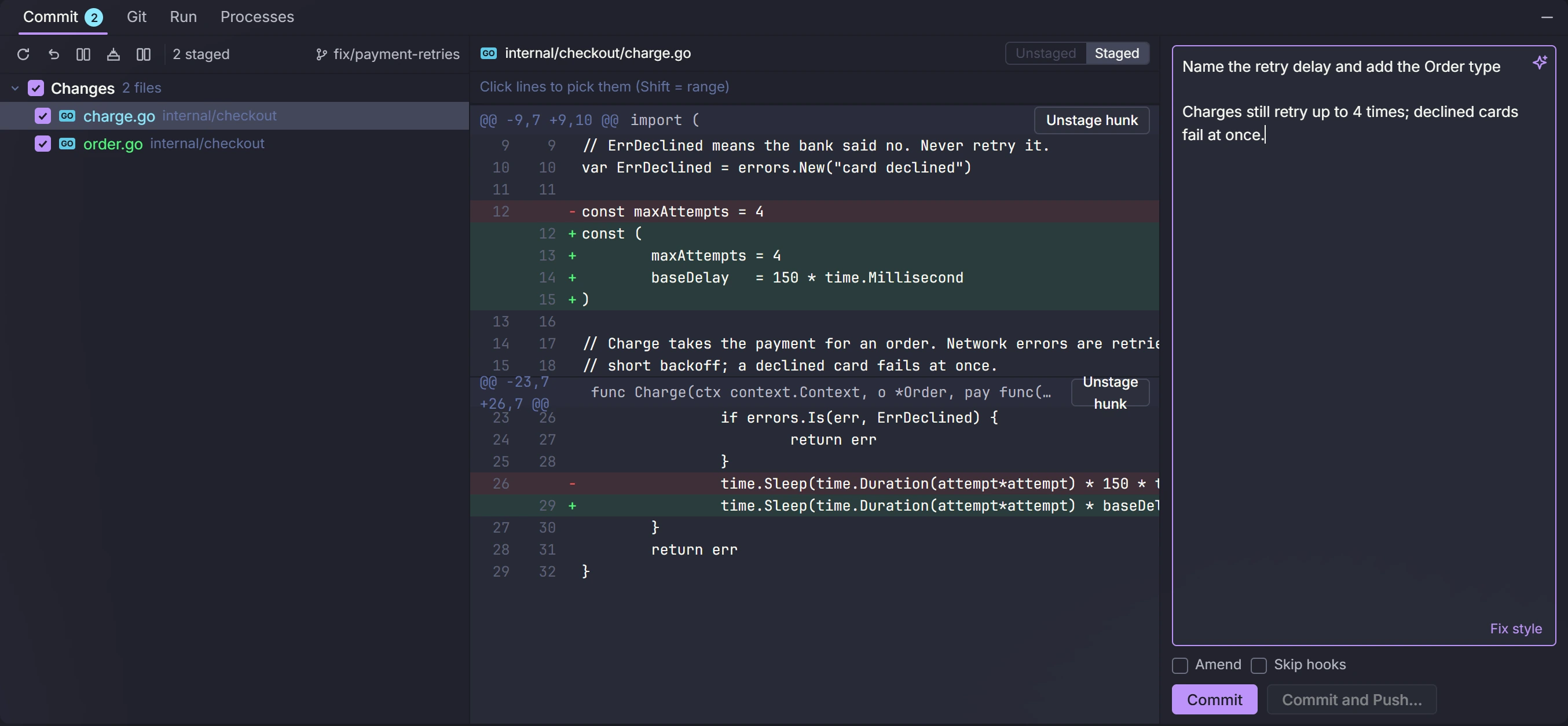
Many tools can now run several AI coding agents at once. DevLand is different. It wraps the Claude Code you already trust, and it runs on your own computer.
Same command-line tool, same login, same plan, same settings. DevLand adds no AI model and no agent of its own.
Git, editor, databases, Docker, servers and logs live in the same window, so you can check Claude's work right away.
Claude can use your saved databases and servers. For each one you pick full, read-only or no access. Same for your real browser, one site at a time.
Sessions, memory, connections and secrets live on your computer. Nothing runs in a cloud workspace, and DevLand keeps no copy of your code.
How DevLand compares to Antigravity, Cursor, Codex and others
Every part of DevLand has its own page, with real screens and live demos.
Yes. DevLand runs the official Claude Code command-line tool with your own account. It works with Pro, Max, Team and Enterprise plans, or an API key, exactly like Claude Code alone.
No. DevLand runs on your computer. Your code goes only where Claude Code itself sends it. The Brain, your connections and your secrets stay local.
No. It has a good editor for quick changes, but many people keep their usual editor open next to it. DevLand is where you run and watch the agents.
Your Claude sessions keep running in the background. Open DevLand again and every tab is where you left it.
Windows first, with builds for Linux and macOS.
DevLand is in a closed beta. Send a short request and we will email you a personal license key when a spot opens.
Install it, open a project, start a Claude tab. Your Claude Code login works as it is.
Request early access